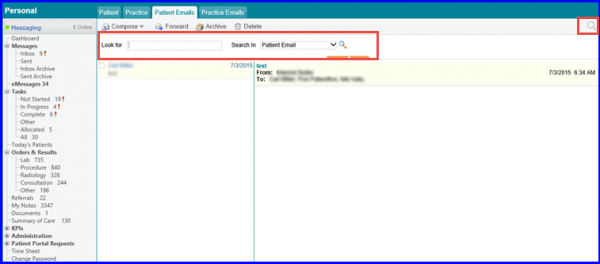
How to Search Sent Messages/ Emails?
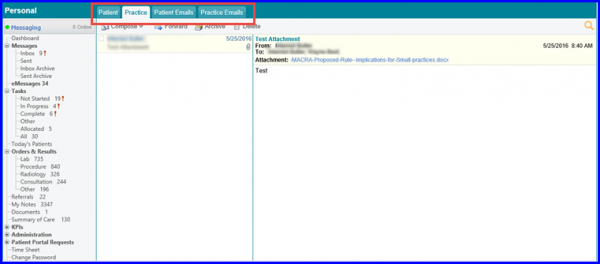
The Sent section in messages contains all the sent messages and emails. There are four tabs in it:
- Patient: Contains all the messages sent to patients via Patient Portal.
- Practice: Contains all the messages sent to the practice via CureMD10g.
- Patient Emails: Contains all the emails sent to the patients to their personal email addresses.
- Practice Emails: Contains all the emails sent to the practice providers to their personal email addresses.
The user is able to search for the desired message by clicking on the search icon placed on top right corner. Once the user clicks on it, a drop down is displayed. Users can enter the keywords and select the folder they want to search that email in.