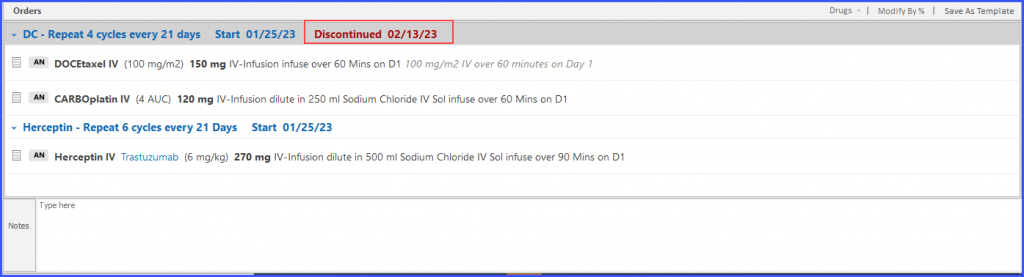
How to Discontinue a Plan?
The users can discontinue a therapy or a complete plan. To do that, click on the ‘Discontinue’ button to access a dropdown menu.
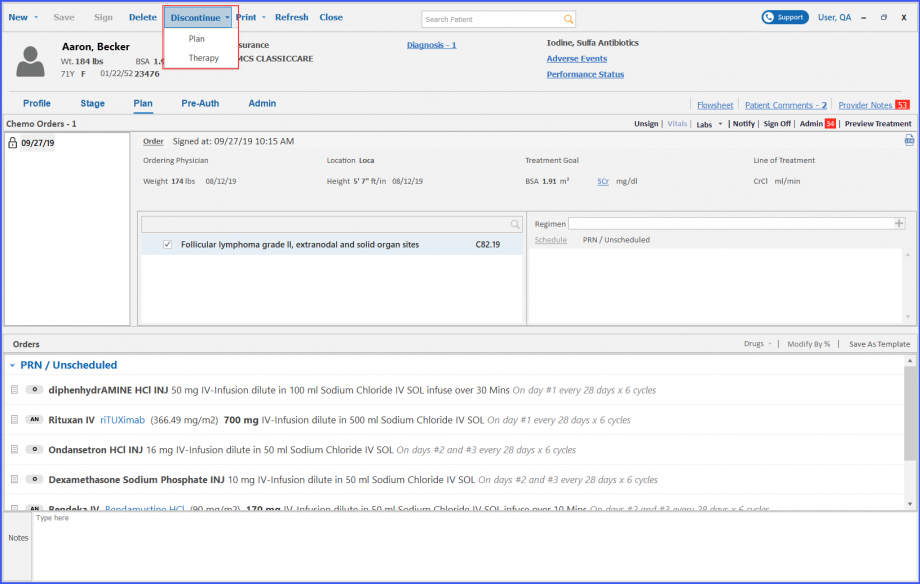
To discontinue the plan, click on the ‘Plan’ option in the dropdown. This displays the ‘Discontinue Plan’ window.
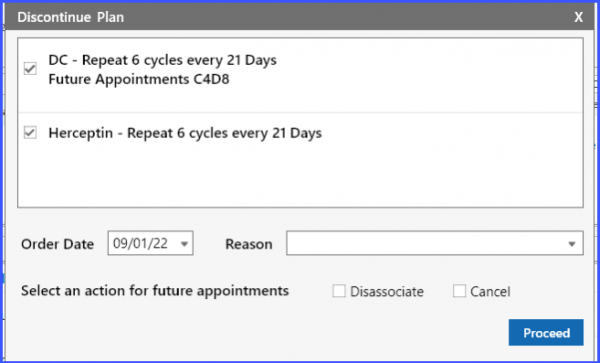
In case of plan discontinuation, all associated therapies are selected by default and it is not mandatory for the user to present a reason. To discontinue the plan, click on the ‘Proceed’ button.
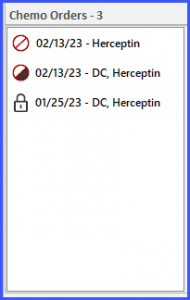
Discontinued Plans are displayed with a crossed icon next to their names.
The user can discontinue therapies as well. To do this, click on the ‘Therapy’ option in the Discontinue dropdown. This displays the ‘Discontinue Therapy’ popup.
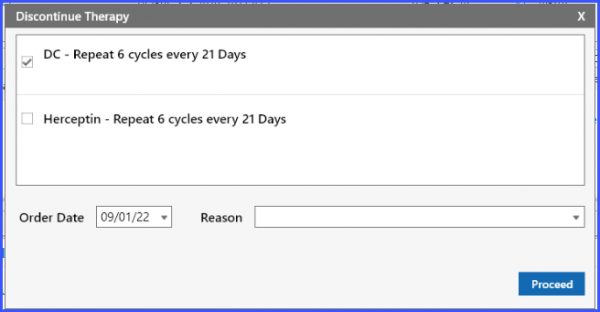
On ‘Discontinue Therapy’ popup, users have the option to select whichever therapy they want to discontinue. After selecting a therapy or therapies, click on the ‘Proceed’ button.
This displays a ‘Discontinued’ label next to the therapy name in red text in the ‘Orders’ section.