How to Define Recurring Recommended Doses From Settings?
Follow the workflow mentioned above to land on the ‘Vaccine Tracker’ screen.
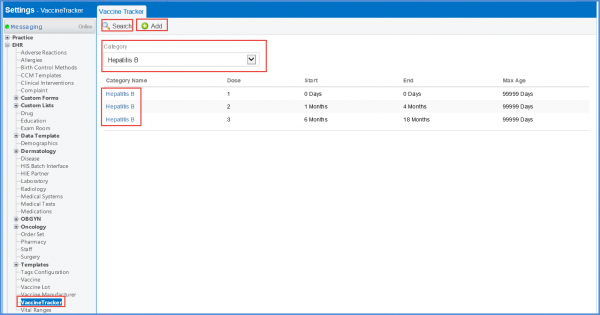
Users can click ‘+Add’ to add a new tracker, or select the required category from the ‘Category’ dropdown and click the required tracked from the displayed list.
The ‘Edit Vaccine Tracker’ will be displayed.
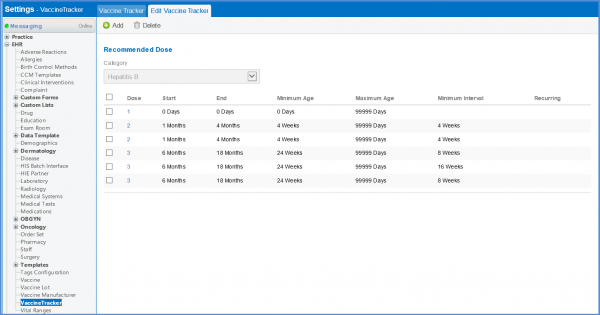
Enabled required checkbox to define the recurring recommended doses.
This shows the recurring dose on the patient Vaccine Tracker.
