How to Create a Patient’s Account on the Patient Portal from Settings?
To create login from Settings:
• Login to your CureMD account and go to the Settings module.
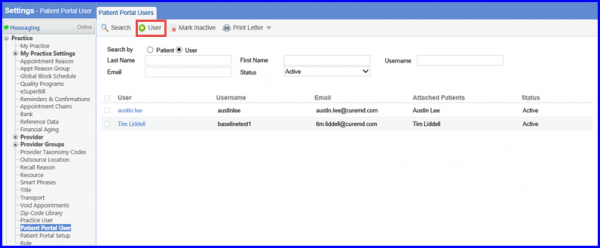
• Now expand the ‘Practice’ bucket from the left menu and click on the ‘Patient Portal User’ option.
• This takes you to the “Patient Portal Users” tab.
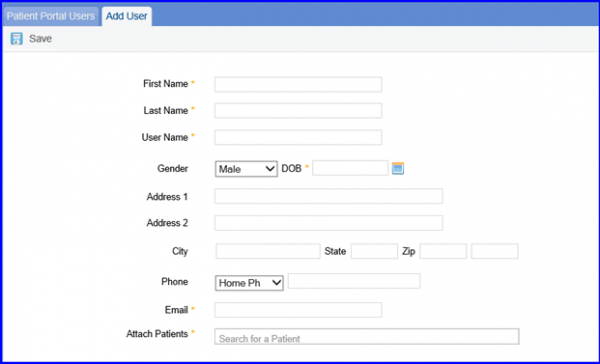
• Click on the ‘User’ button from the top. This opens up the “Add User” tab.
• Enter the required details in the respective fields and click on the ‘Save’ button.
Upon saving, the user is successfully added in the Patient Portal. A system generated mail is sent to the user containing the URL and Login credentials.
