What is Regimen Library?
User can use ‘Preferred Regimen Library’ and ‘All Regimens’. 
Navigate to “Regimen Library” by following the above mentioned workflow.
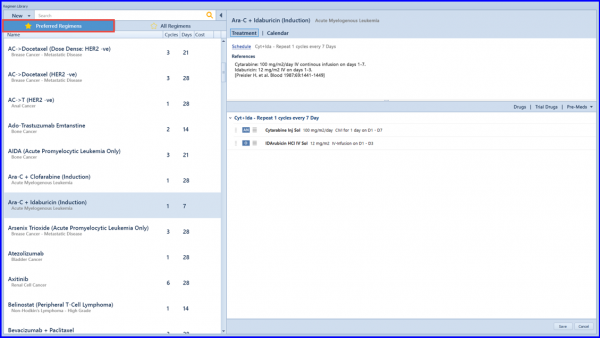
Here, the ‘Preferred Regimens’ section includes the list of all regimens that are being used in the practice. The system detects the usage of a regimen template and automatically adds it in the ‘Preferred Regimens’ library.
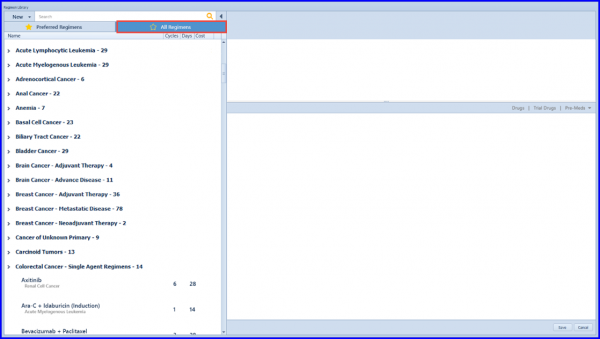
The ‘All Regimens’ section includes the complete template library sorted with respect to disease categories.
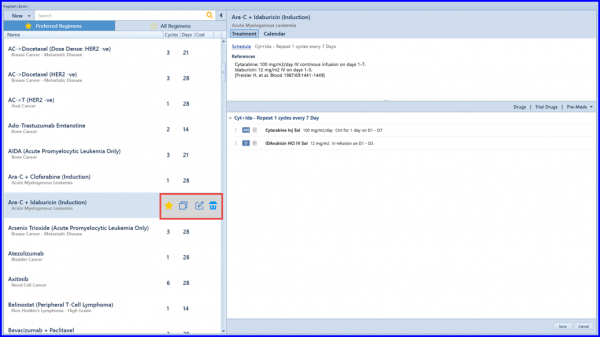
Further, the enhanced control allows the user to easily edit the properties of a template.
The function for the mentioned buttons is:
- Mark Preferred/Un-Preferred
- Copy
- Edit
- Delete.
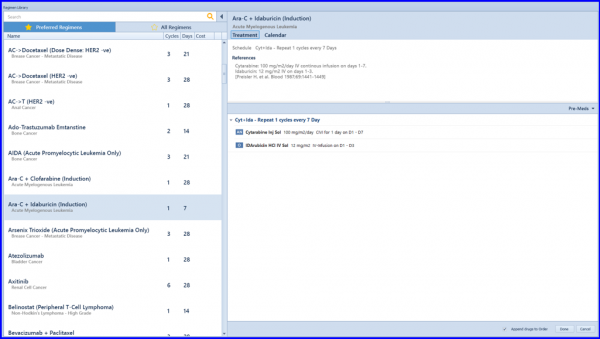
Regimen Selection view is also updated accordingly.
To view pre-medication revamp, click here.
To learn how to append a Pre-Med set to Template/Order, click here.
To learn about changes in replace drug in a regimen, click here.
