How to Generate Chemo Plan Reports?
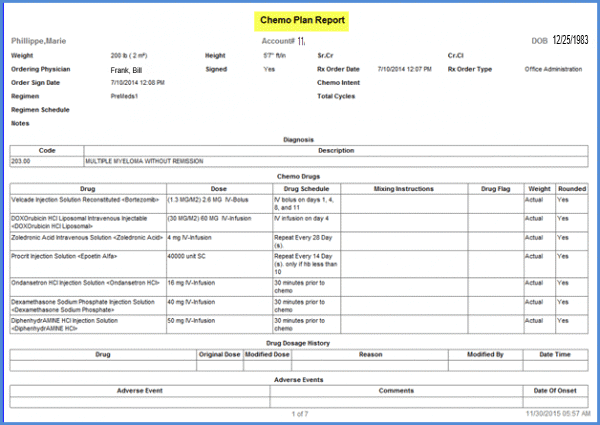
Rx chemo plan reports are designed to keep track of the patient’s chemo therapy at all times. The report lists complete information about the overall chemo therapy treatment. To view this report, go to the reports module, select the Rx Chemo Plan and click on “Patient’s Rx. Plan by Date range” option.
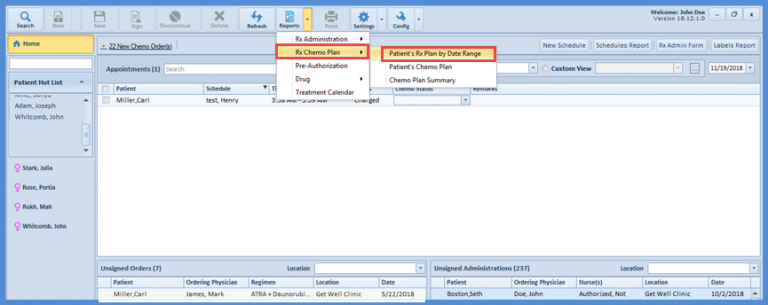
Patient’s Chemo Plan by Date Range
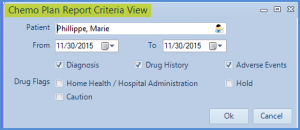
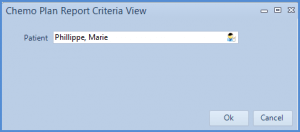
In the chemo plan report criteria view, the application allows the user to enter the relevant details like patient’s name and the specific date range in which they want to view the chemo plan. The button along with the ‘patient’ search bar allows the user to search the patient from the system.
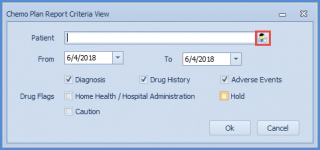
Patient’s Chemo Plan
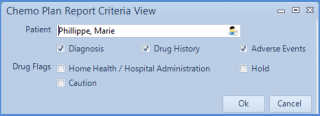
The user can also view the complete chemo plan report for a selected patient by clicking on the “Patient’s chemo plan” report. Select the patient in the chemo plan report criteria view pop-up window and click on OK.
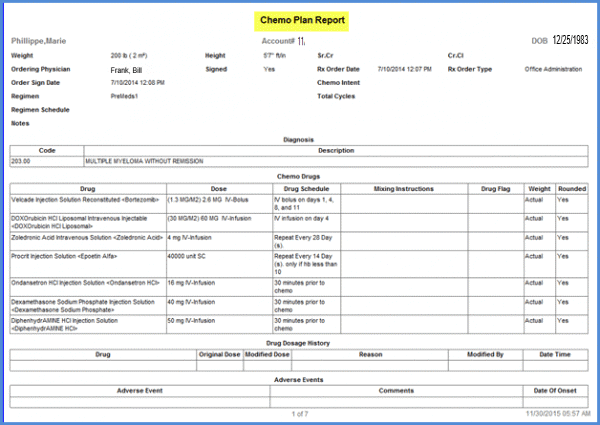
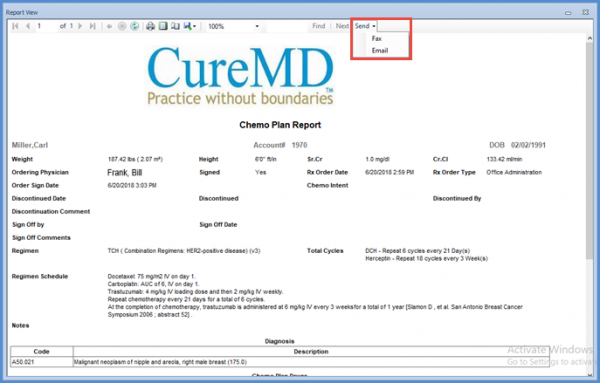
The patient’s chemo plan report appears in a separate pop-up window.
Chemo Plan Summary
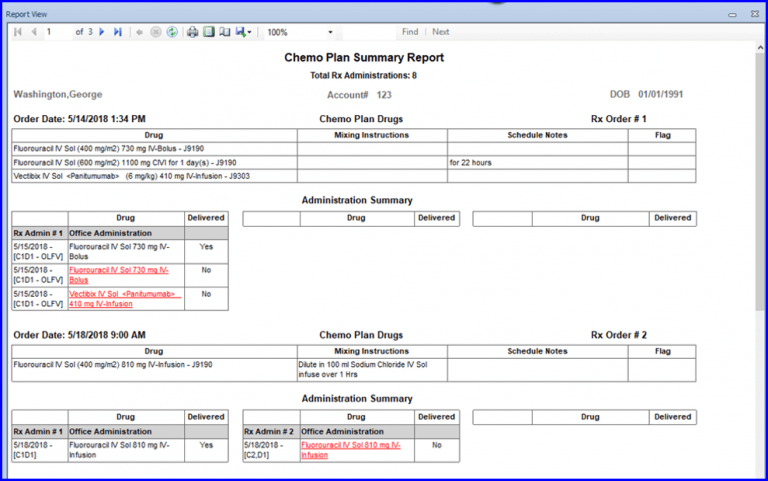
This report is frequently used by chemo physicians to view the complete chemo administration cycles for the orders. This reports also keeps track and checks whether the drug was delivered or not on a specific chemo Administration day.
The report lists the chemo order details at the top followed by information about each drug administration.
The Chemo Plan Summary Report shows number of Rx administrations per order. 
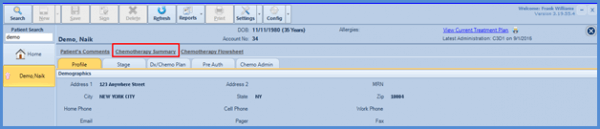
Alternatively, the user can view the same report by going to the patient profile and clicking on Chemotherapy summary link at the top of the window.
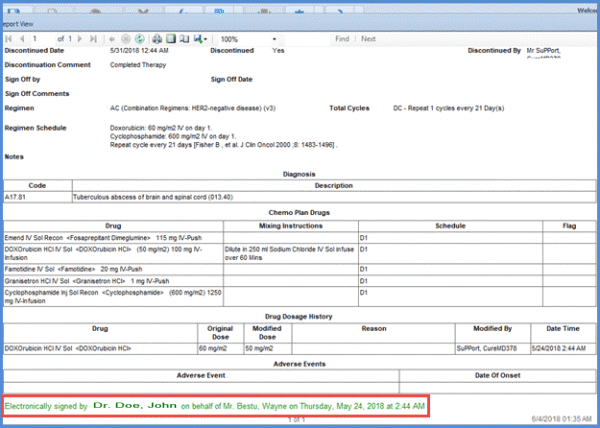
Electronic Signature
An electronic signature has been added to the end of the chemo plan report.
Faxing and Email Support in Chemo Manager
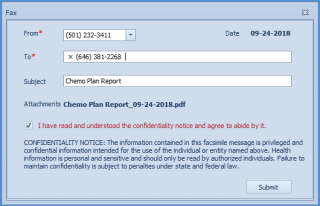
Practice users can email or fax patient reports from Chemo Manager instead of traversing different workflows or external applications.
To send a report via email/fax, select an option from the send drop-down in reports view.
Type in the mandatory information and press submit.