How to Update Multiple Drugs Status in Pre Auth?
User can update multiple drugs status and add details to the ordered drugs from Pre Auth.
Follow the above mentioned workflow to land on the Pre Auth tab.
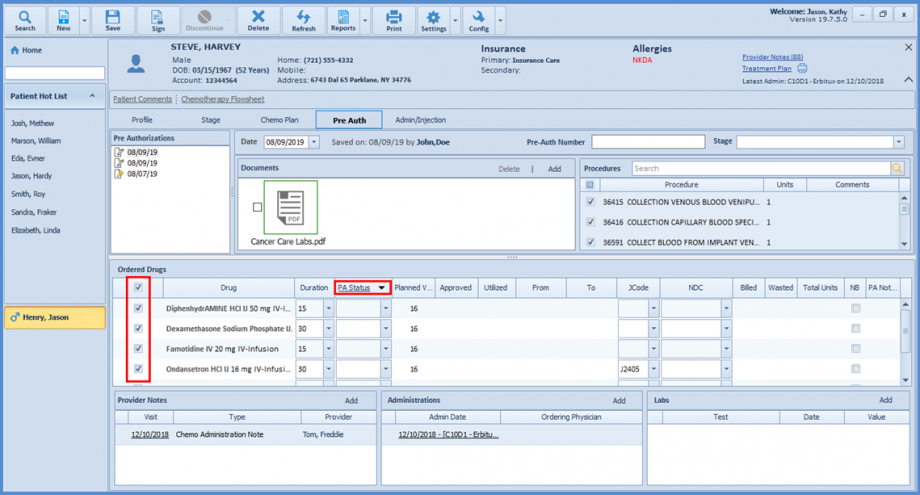
Mark the drugs to be updated and click ‘PA Status’ hyperlink.
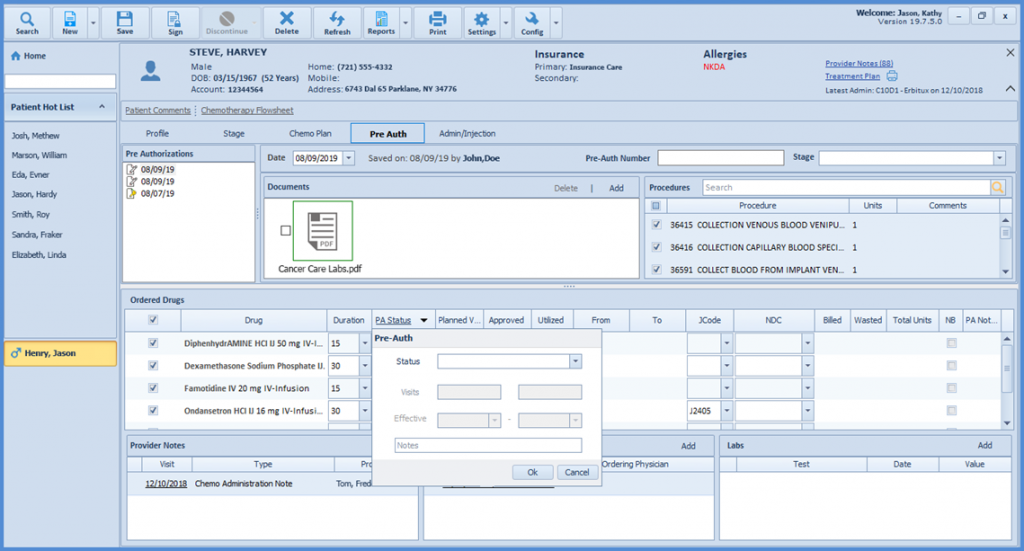
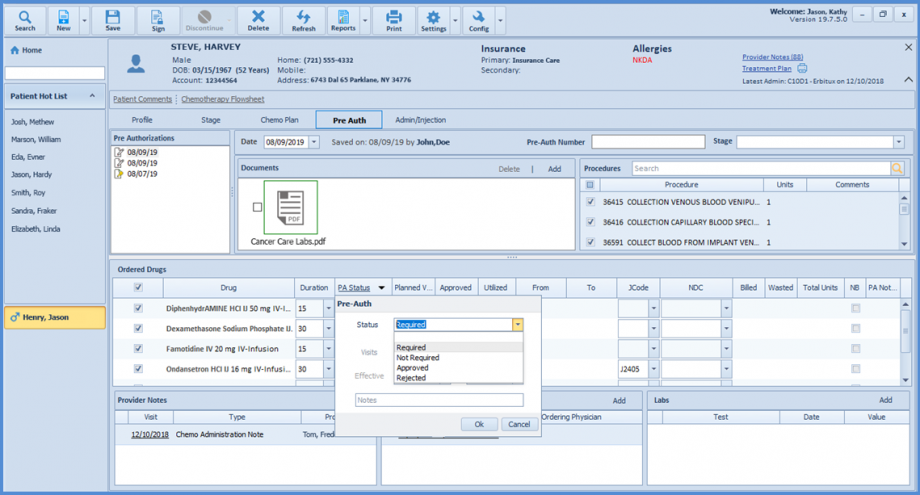
Select ‘Status’ and enter the required details.
Click ‘Ok’ to apply the entered ‘PA Status’ on the selected drugs.
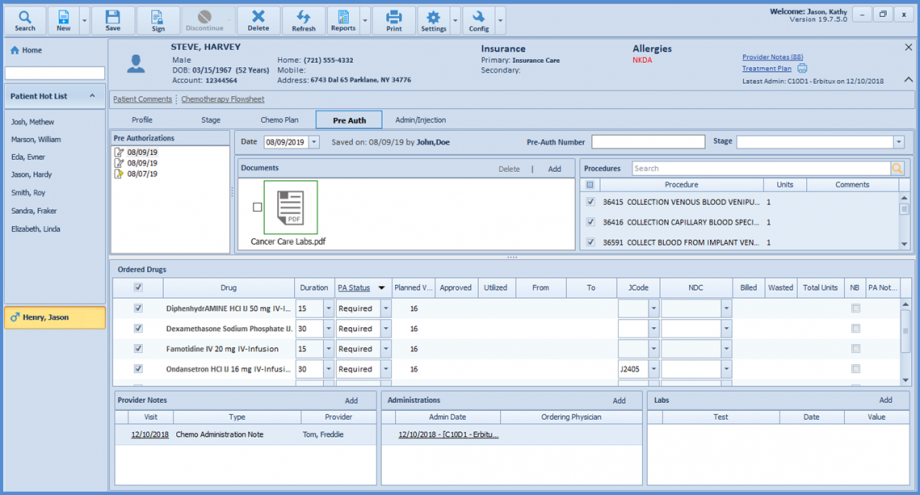
‘PA Status’ is updated for the chosen drugs.