How to Associate Lab Results with a Pre-Auth Request?
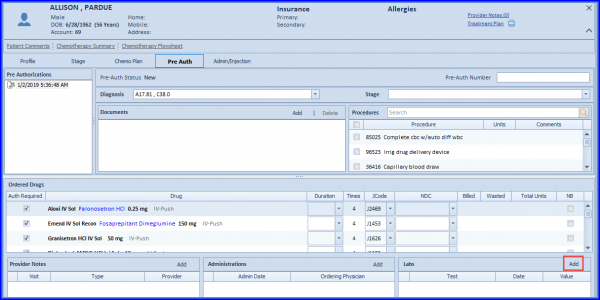
To associate lab results with the pre-auth request, follow the workflow above and from the Pre Auth window, go to the ‘Labs’ section. Click “Add”.
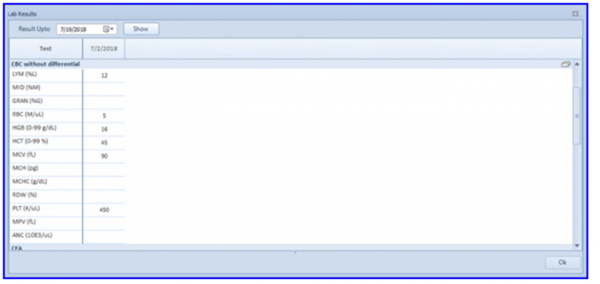
System displays all available lab results for the selected patient. Select the desired lab result(s) by marking them and click the “OK” button to associate these lab result(s) with the pre-auth request.