How to Populate Patient Vitals on ACOG Report?
For a patient’s vitals to populate on the ACOG Report, providers need to associate a prenatal exam component for each encounter. The case selected for this scenario must be a pregnancy case.
To do this, follow the workflow mentioned above to land on the ‘Provider Notes’ screen.
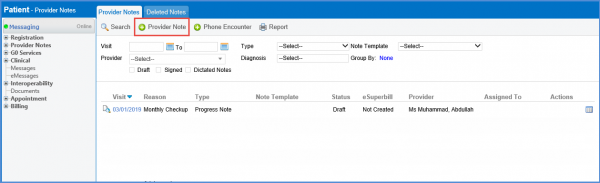
Click on ‘+ Provider Note’ button.
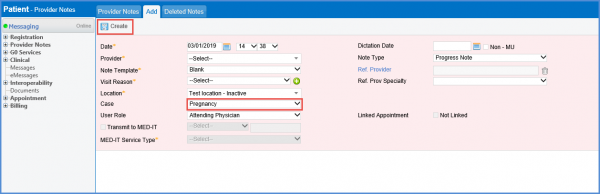
Select ‘Pregnancy’ from the ‘Case’ dropdown and add other required details.
Once done, click ‘Create’.
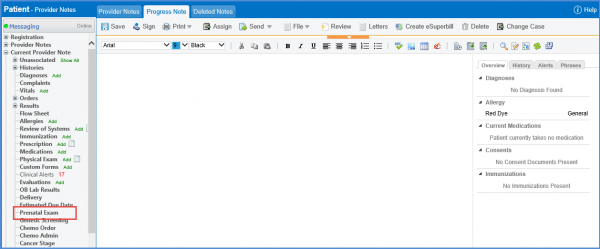
From the left tree menu in the Current Provider Note bucket, select ‘Prenatal Exam’.
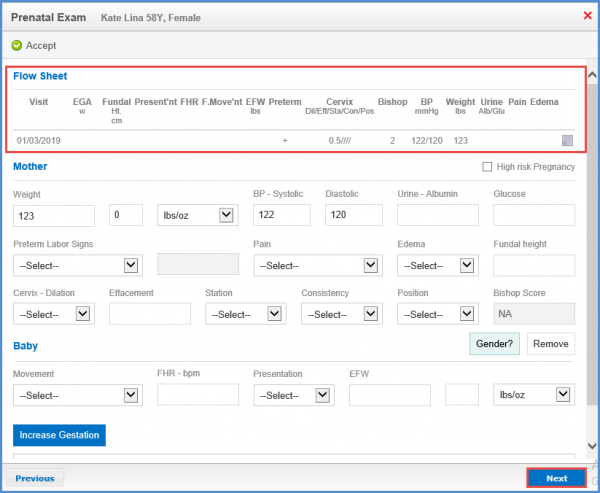
The ‘Prenatal Exam’ window will be displayed.
Record the vital details of the patient.
Any previous vitals recorded are shown under the heading of ‘Flow Sheet’.
To auto-populate it on ‘Provider Note’, click ‘Accept’.