How to Validate Reference Provider?
When referring a patient to the provider, users have the ability to verify a referring provider by searching on the basis of provider’s credentials such as Address, NPI and Name.
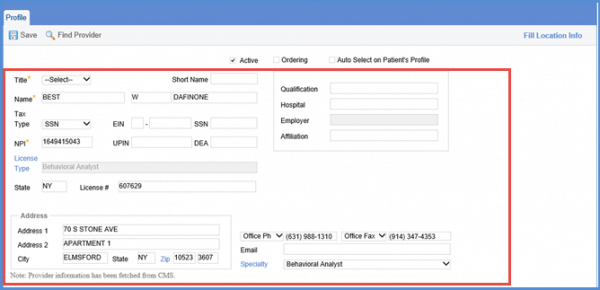
Follow the workflow above t land on the Reference Provide screen. Search or select a provider. Doing this will display the provider’s ‘Profile’ screen.
Click the ‘Find Provider’ button.
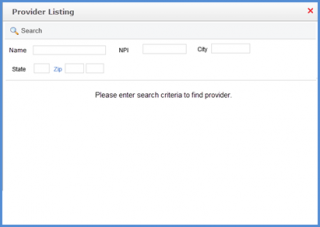
Doing so will display the ‘Provider Listing’ screen.
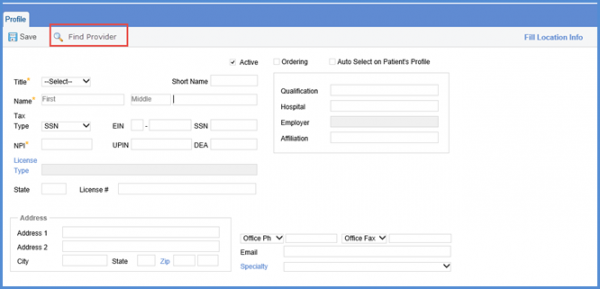
Here, user can locate a provider on the basis of: Name, Address (City, State, Zip) and NPI.
Click Search button to display the search results according to the search criteria provided.
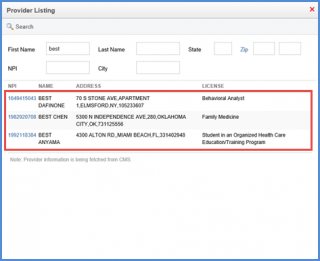
Moreover, the user can click an entry under ‘NPI’ column to view additional information about the provider such as: Title, First Name, Last Name, NPI, Address 1 (Mailing Address 1), Address 2 (Mailing Address 2), City, State, Zip Code, Phone Number, Fax Number, Specialty and License Number.