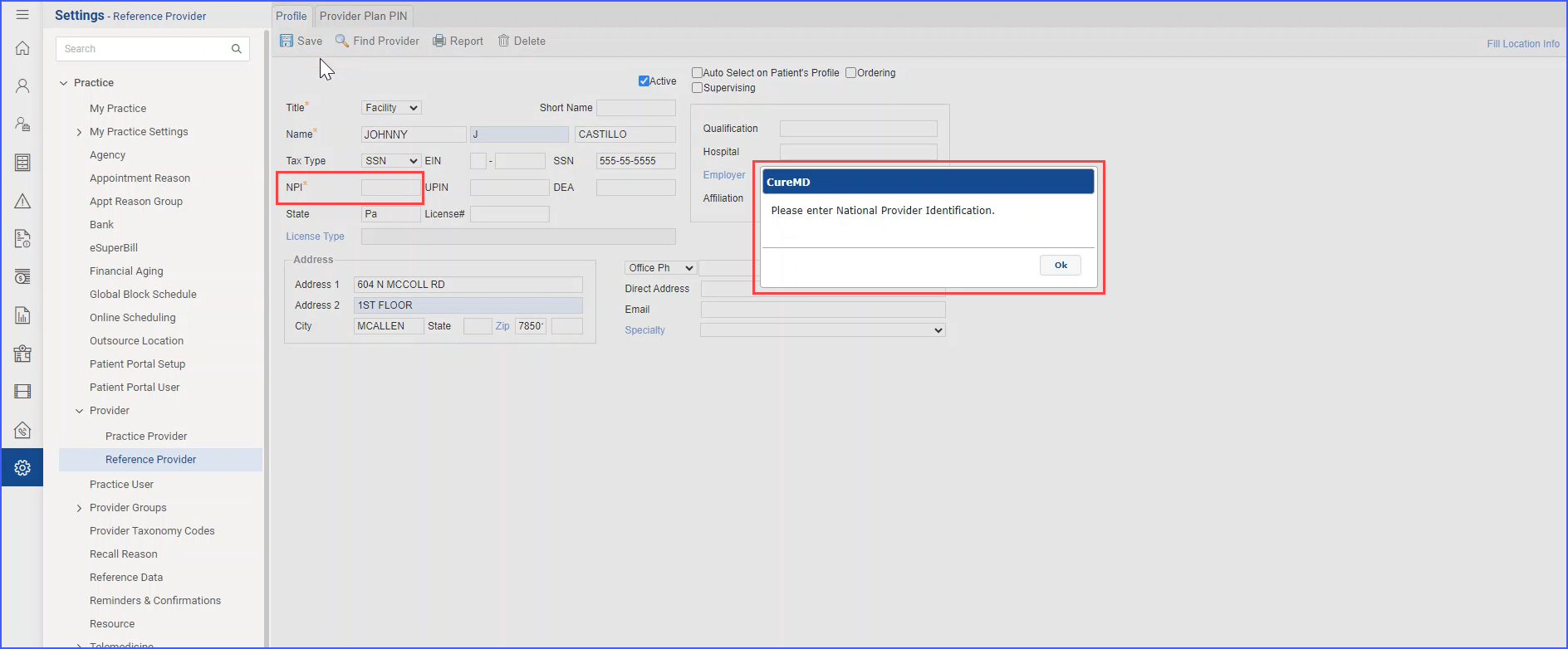
How to Add a Reference Provider?
The permission to add a reference provider can be configured by toggling the relevant checkbox in user permissions settings. 
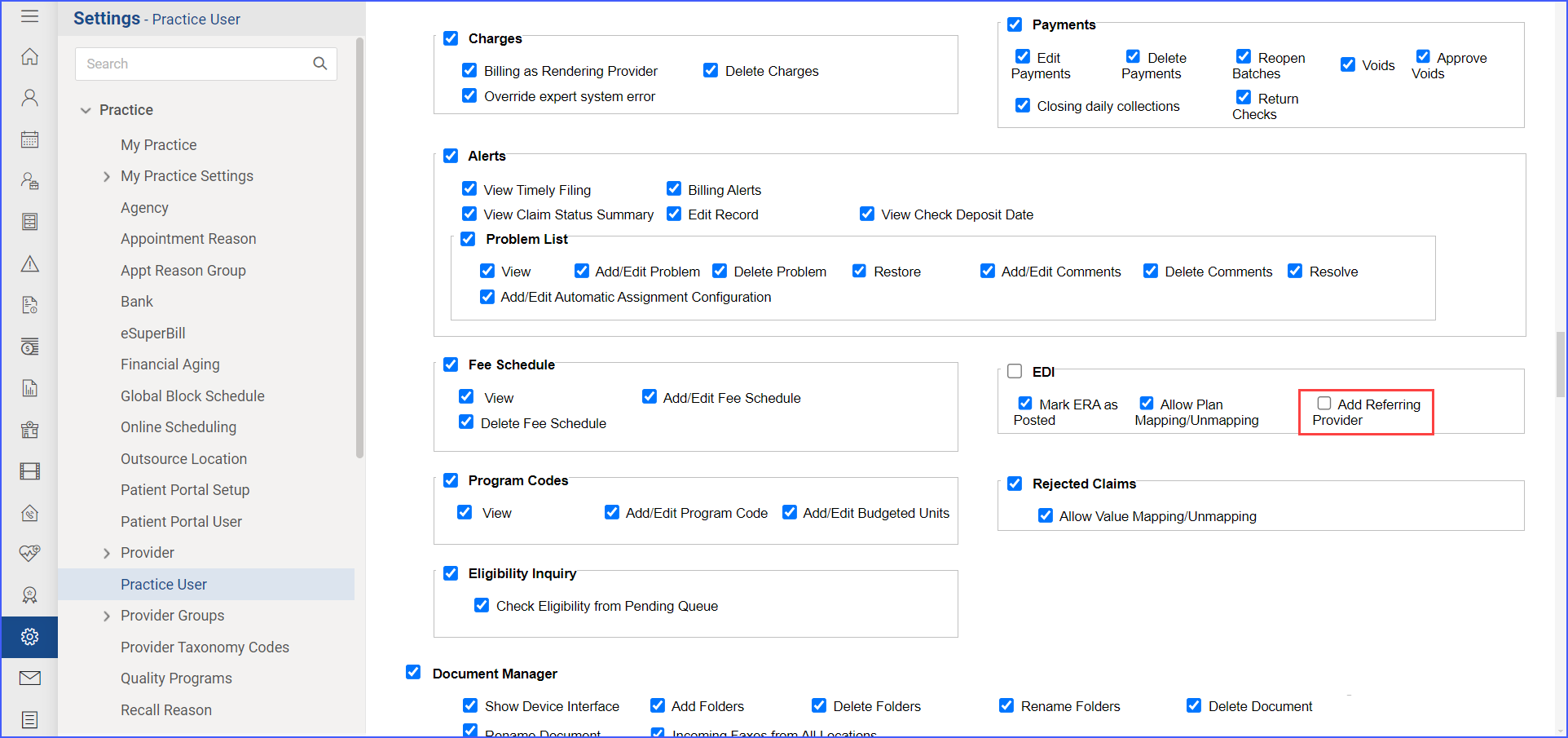
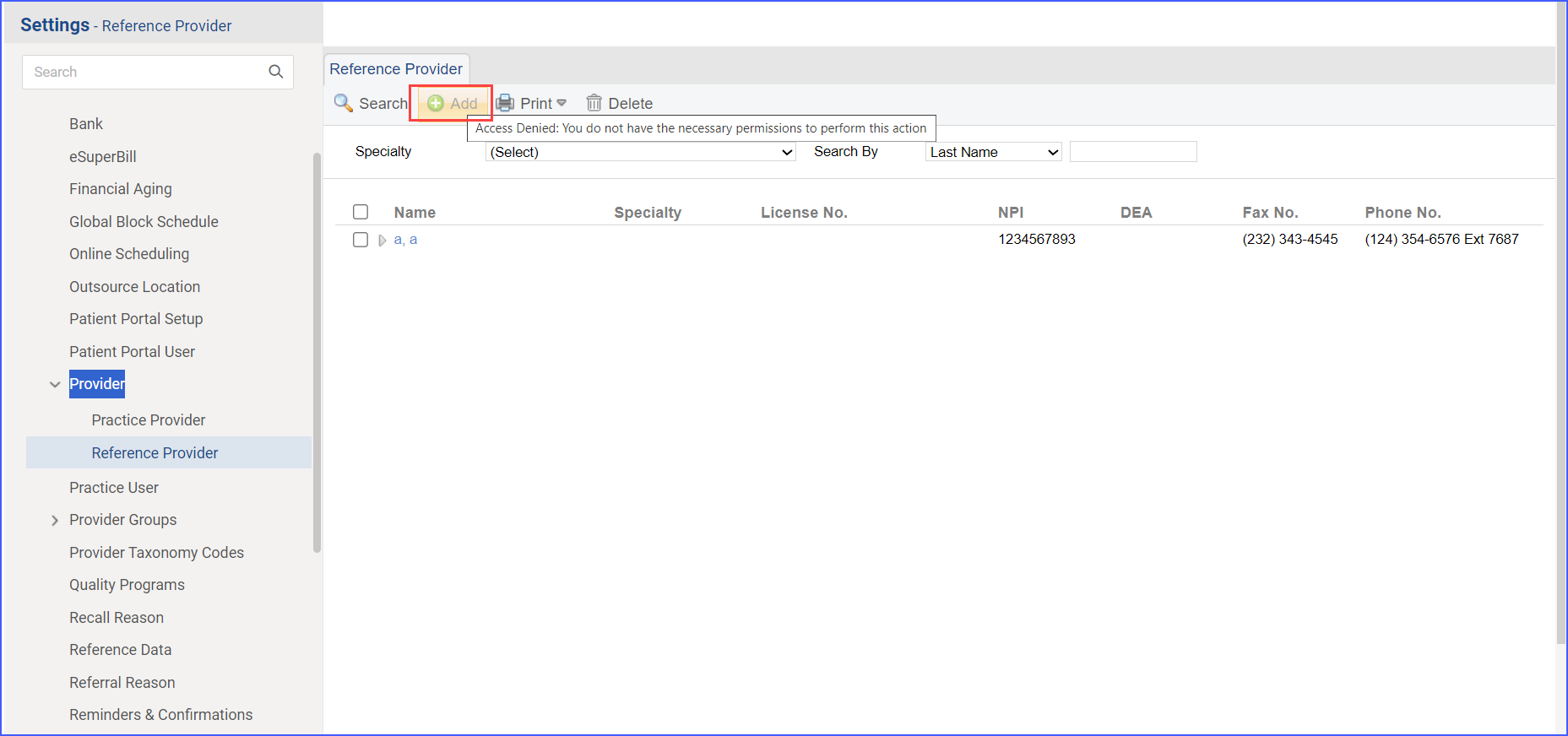
If a user without the ‘Add Referring Provider’ permission attempts to add a referring provider, the ‘Add Referring Provider’ button appears disabled and greyed out. Hovering over the button displays the message: “Access Denied: You do not have the necessary permissions to perform this action,” indicating that the user lacks the required permissions.
The requirement to fill out the NPI field for adding a Reference Provider can be controlled using the relevant checkbox in the practice’s Billing Settings.

When the checkbox is checked, the NPI field displays a mandatory indication (*). Then, if the user attempts to save a referring provider’s information without entering an NPI, the system displays the prompt message “Please enter the NPI” and prevents the form from being submitted.