How to Access the Advanced View for Referrals?
To access the ‘Advanced View’ for referrals, follow the workflow mentioned above to navigate to ‘Permissions’ window.
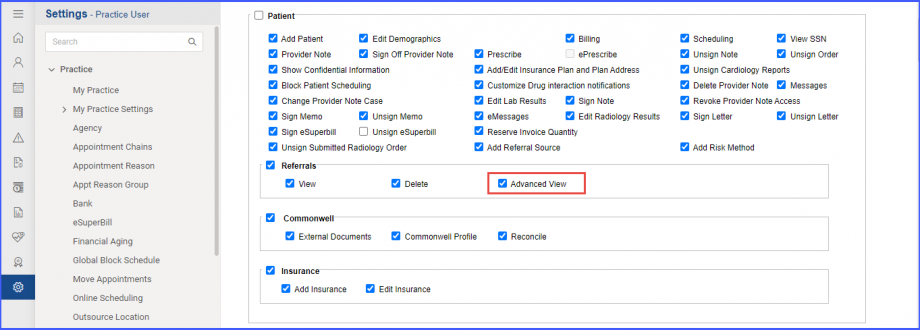
Navigate to ‘Referrals’ section and enable the ‘Advanced View’ checkbox,
Then, click ‘Save’
