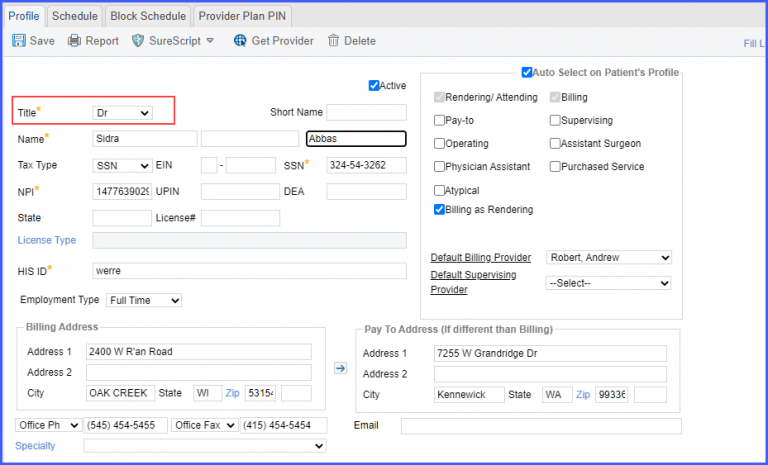
How to Add Provider Employee Type in Provider Profile?
’Employment Type’ of a provider can be specified in the provider’s profile section.
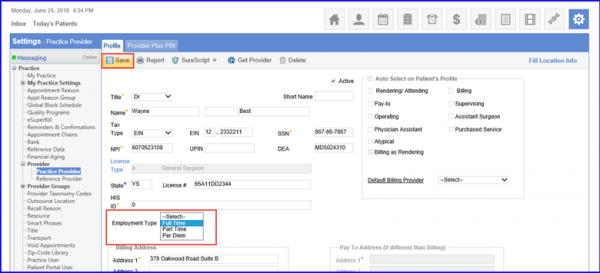
Follow the workflow above to select/search a provider. Open the required provider’s` profile by clicking the name hyperlink.
Go to ‘Employment Type’ field.
Click on the dropdown arrow to display the following employment type fields:
- Full Time
- Part Time
- Per Diem
Select the relevant employment type.
Click ‘Save’ when done.
Provider’s title is printed on requisition along with their signature.
Provider’s role can be easily identified from the requisition.
Select the ‘Title’ on profile of ‘Practice Provider’ in Practice Provider Settings and save the changes.