How to Add a Plan Category?
To add a Plan Category, follow the workflow mentioned.
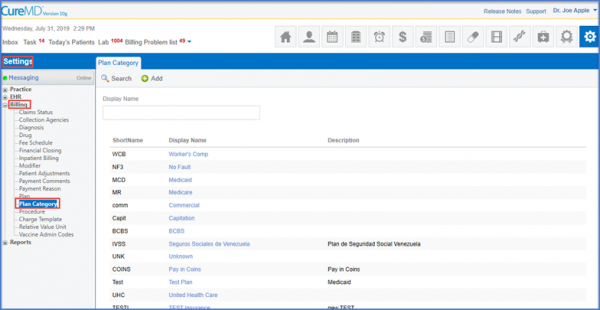
Click the ‘Add’ button, once done a form appears under the Add plan Category tab.Enter the fields of Short Name, Name and Description.
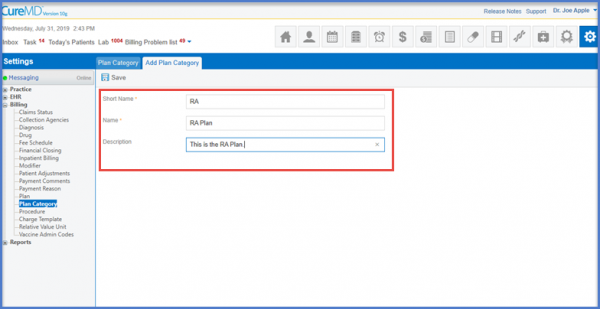
After entering the fields, the user clicks on the ‘Save’ button to make sure the details are saved.
