How to Print Selected Payment Reasons?
Following the workflow the user lands on the ‘Payment Reason’ page.
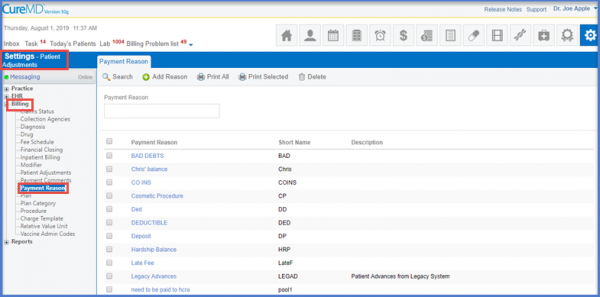
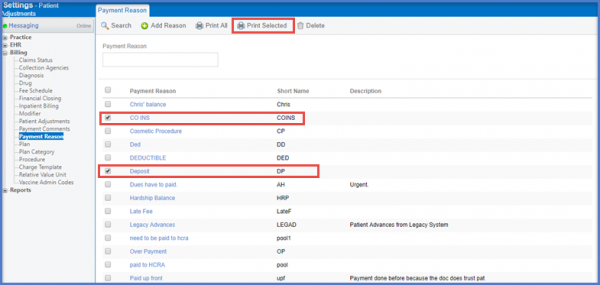
Payment Reasons Main PageIn order to Print Selected ‘Payment Reason’, select the check boxes next to the desired Payment Reasons. Click on the ‘Print Selected’ button.
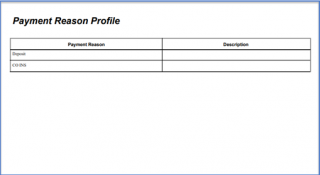
The Selected Payment Reason report is generated.