How to Add a Payment Comment?
To add a Payment Comment, the user must follow the workflow mentioned above.
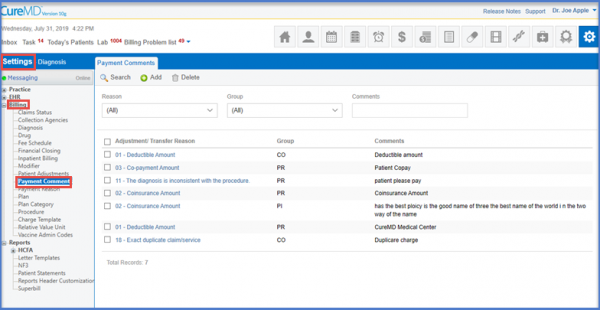
Click the ‘Add’ button to insert the comment. The ‘Group’ and ‘Reason’ fields have drop down menu options to select from.
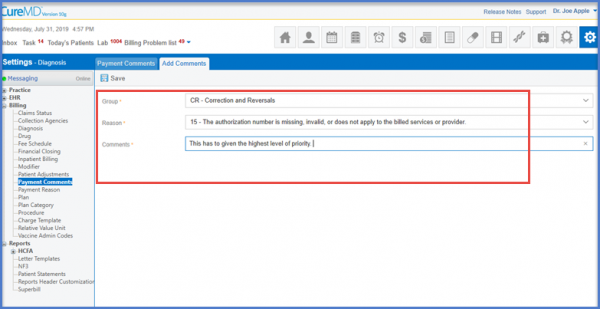
Once that is done, ‘Save’ to ensure all fields are saved. The results are displayed in the form of a record on the main page.
