How to Add an Order Set?
Follow the workflow mentioned above to land on the ‘Order Set’ screen.
Click ‘+Add’ button.
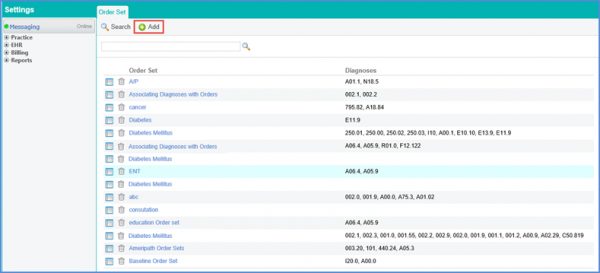
The ‘Add’ tab will be displayed.
Insert the ‘Order Set’ and required ‘Instructions’ (if any) in the respective fields.
Click ‘Save’ when done.
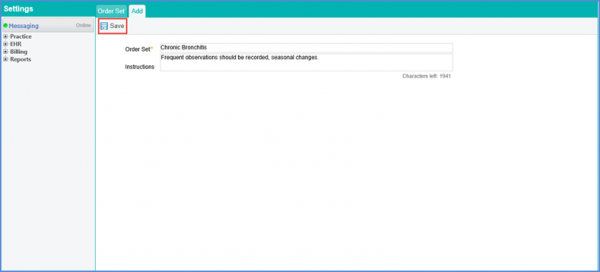
The order set is added and displayed.
