How to Configure a Laboratory?
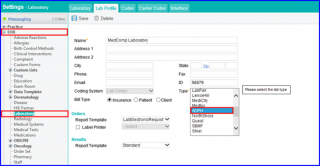
Follow the workflow above to land on the Laboratory screen.
Click ‘+Add’ button to add a new lab.
Doing so will display the ‘Lab Profile’ screen.
Go to the ‘Type’ dropdown.
A lab type designed to meet the HL7 file specifications is accessible for the orders and results.
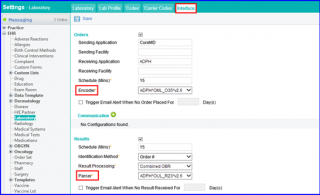
Go to the Interface tab.
In the ‘Results’ section, parser and encoder types are included to compliment the lab types.