How to Get Notifications for Add-On Services?
Users receive email notifications whenever a premium service is enabled/disabled in CureMD.
Follow the workflow above to land on the ‘EHR’ screen.
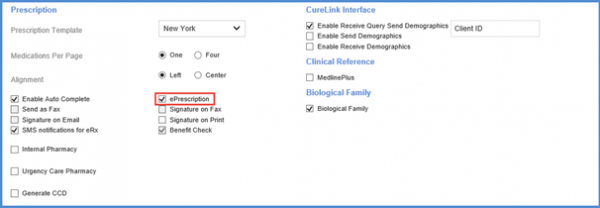
Scroll down to the ‘Prescriptions’ section.
Enable the ‘e-Prescription’ checkbox to activate both electronic prescription services i.e. EPCS and ERX.
Once done, support staff automatically receive email notifications for these premium services.
To see how to activate or deactivate Claim Scrubber service, click here.
User can click here to configure settings to enable/disable eFax service and get an email notification.
