How to View Jopari Service Status of Patients?
User can see the Jopari service status of a patient. 
User navigates to the above workflow and lands on the EDI Settings tab. User opens the CureConnect Settings tab where the Jopari service checkbox is visible.
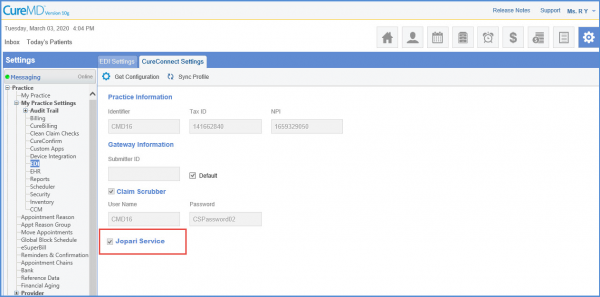
When user clicks on Get Configuration, Jopari service checkbox is in ‘checked’ state in read only mode if this service is enabled in Cureconnect. If service is disabled in Cureconnect, Jopari service checkbox is in ‘Unchecked’ state in read only mode.
