How to Enable Setting for Default Transaction Amount?
Follow the workflow mentioned above to land on the ‘Billing’ settings page. Then, navigate to the ‘Diagnosis’ section.
Here, the system displays a checkbox ‘(Save Card) Default per transaction amount’.
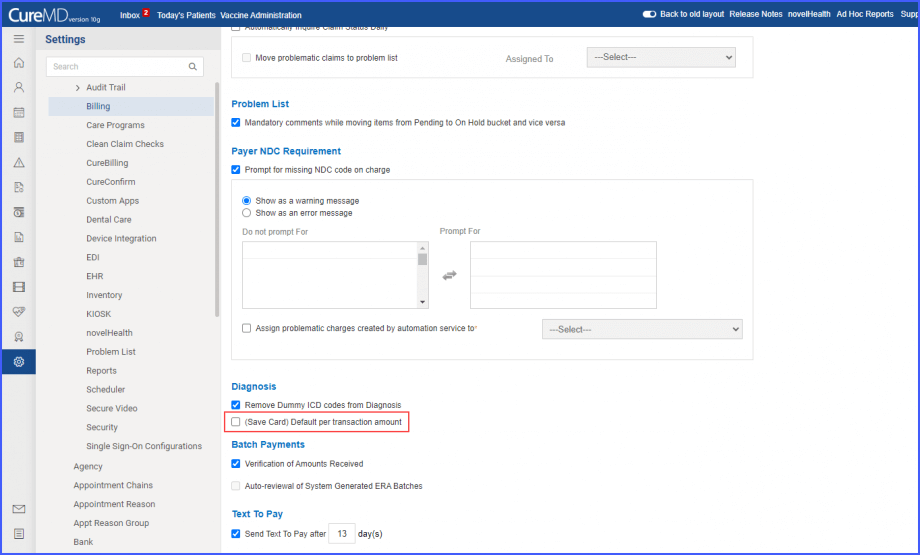
Enabling this checkbox displays the ‘Amount $’ text field.
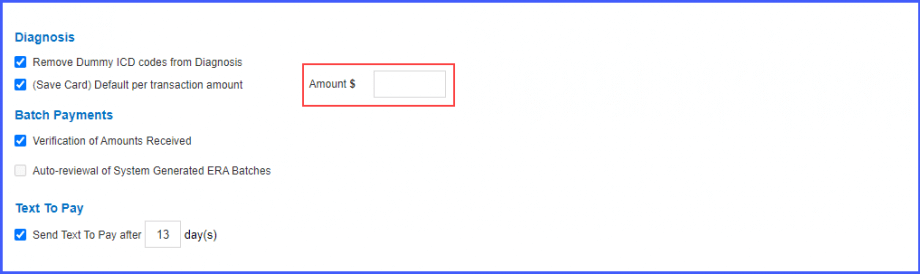
In this text field, users can add the default value for maximum transaction amount. Once added, click ‘Save’.
This default amount will get populated in the ‘Maximum Transaction Amount’ field when the biller is making an online transaction through a saved card. Click here, to view how that happens.
