How to Make Comments Mandatory While Moving Problem List Appointments to On Hold?
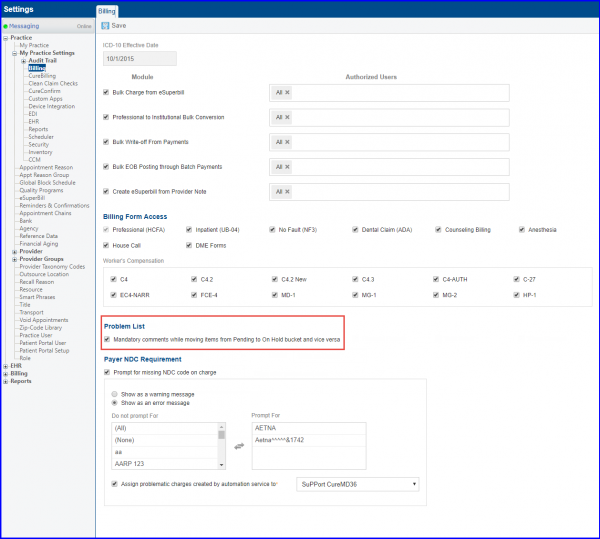
User can choose make comments mandatory while moving problem list appointment(s). 
To do this, follow the above mentioned workflow and get to “Billing” page, under ‘My Practice Settings’.
Here, mark ‘Mandatory comments while moving items from Pending to On Hold bucket and vice versa’ checkbox.