What is a Charges Report?
This report allows a user to generate detailed reports of charges from each of the patient’s appointments.
Follow the workflow above to land on the ‘Charges’ screen. Find a patient by entering personal identification information.
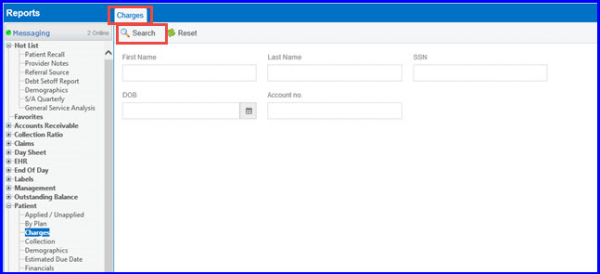
Click ‘Search’. Select the required patient to view a report on. To print the report, click ‘All’.
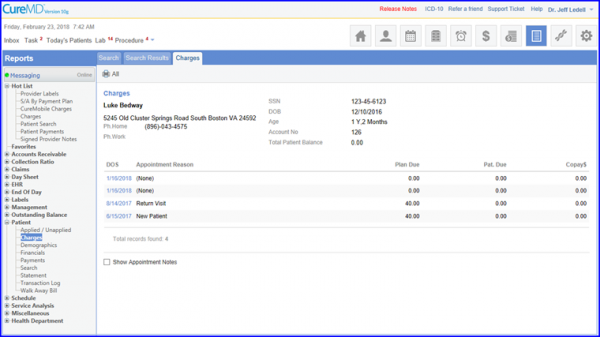
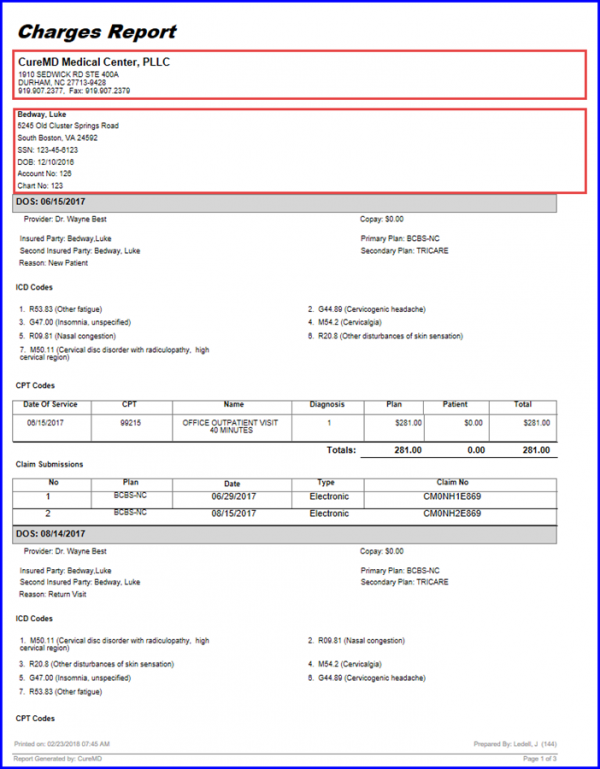
To enable practice details/logo on the charges report, click here.
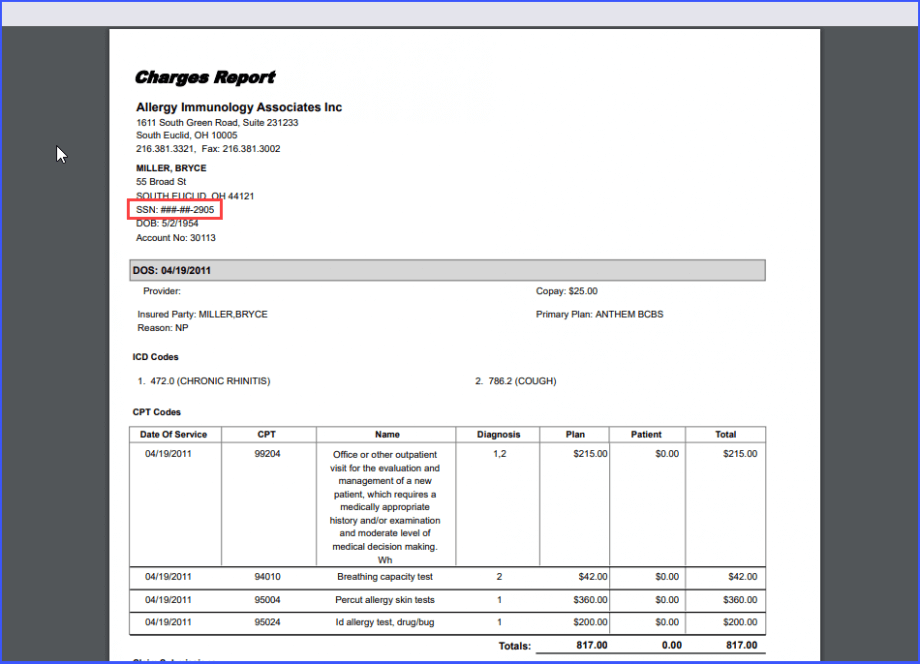
The patient’s Social Security Number is hidden in the reports which are being printed. 
This ensures patient’s SSN information is not exposed.
Once the user prints a patient charge report, the SSN number is masked under the address, and only the last 4 digits are visible.
Click here to view the similar enhancements made on the ‘Patient Aging Report’
