What is a Check Out Audit Report?
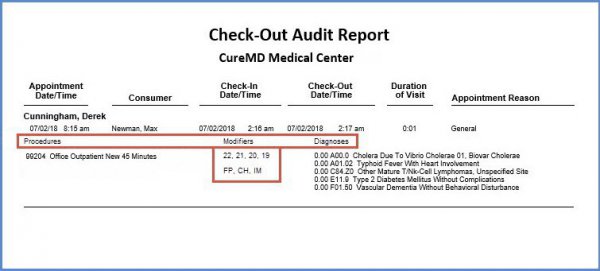
A check-out audit report provides detailed information regarding the patient visits. It contains the following fields of information:
- Appointment Date/ Time
- Consumer Name
- Check In Date/Time
- Check Out Date/Time
- Duration of Visit
- Appointment Reason
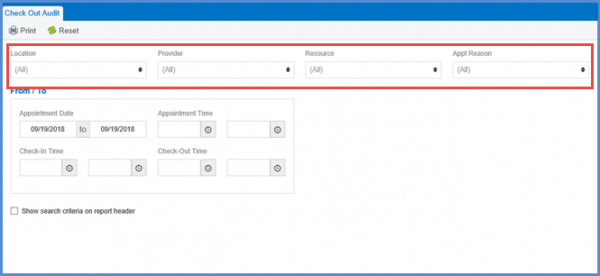
From the ‘Check Out Audit’ screen, user can select ‘Location’, ‘Provider’, Resource’, and ‘Appointment Reason’ from the relevant drop-downs. 
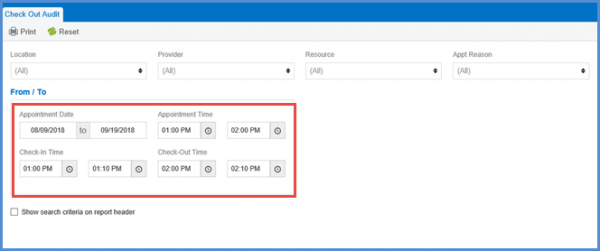
Moreover, the ‘Appointment Date’, ‘Appointment Time’, ‘Check-In Time’, and ‘Check-Out Time’ ranges can be selected from the date pickers.
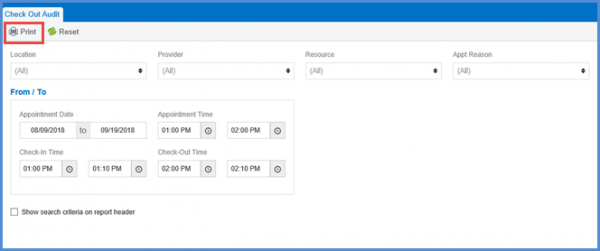
Once all fields of information have been filled, the user can click the ‘Print’ button to generate the report.
On the Check Out Audit Report, modifiers against their corresponding CPTs are displayed in a column named ‘Modifiers’.
Furthermore, column headings have been added on the report for the procedures performed on a patient and relevant diagnosis.