Customize Diagnosis Requirements for Lab and Radiology Orders
In the Lab & Radiology profiles, you will now be able to access a new dropdown menu titled ‘Diagnosis Requirement for Lab Orders‘. You will be able to select from three options:
- Not Mandatory: No diagnosis needed to save or sign orders.
- Mandatory for Signing Orders Only: A diagnosis is required only when signing orders.
- Mandatory for Saving & Signing Orders: A diagnosis is required for both saving and signing orders.
This enhancement provides the capability to document additional clinical information for order processing, enhancing your practice’s efficiency and compliance.
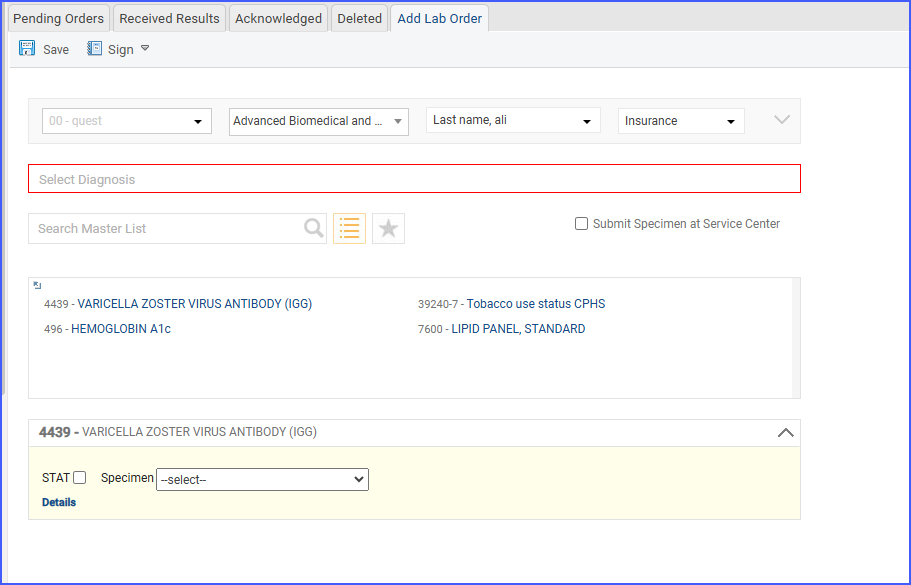
This new feature is lab specific and can be customized through the following work flow:
Settings > EHR > Laboratory > Lab Profile > Update Setting > Save
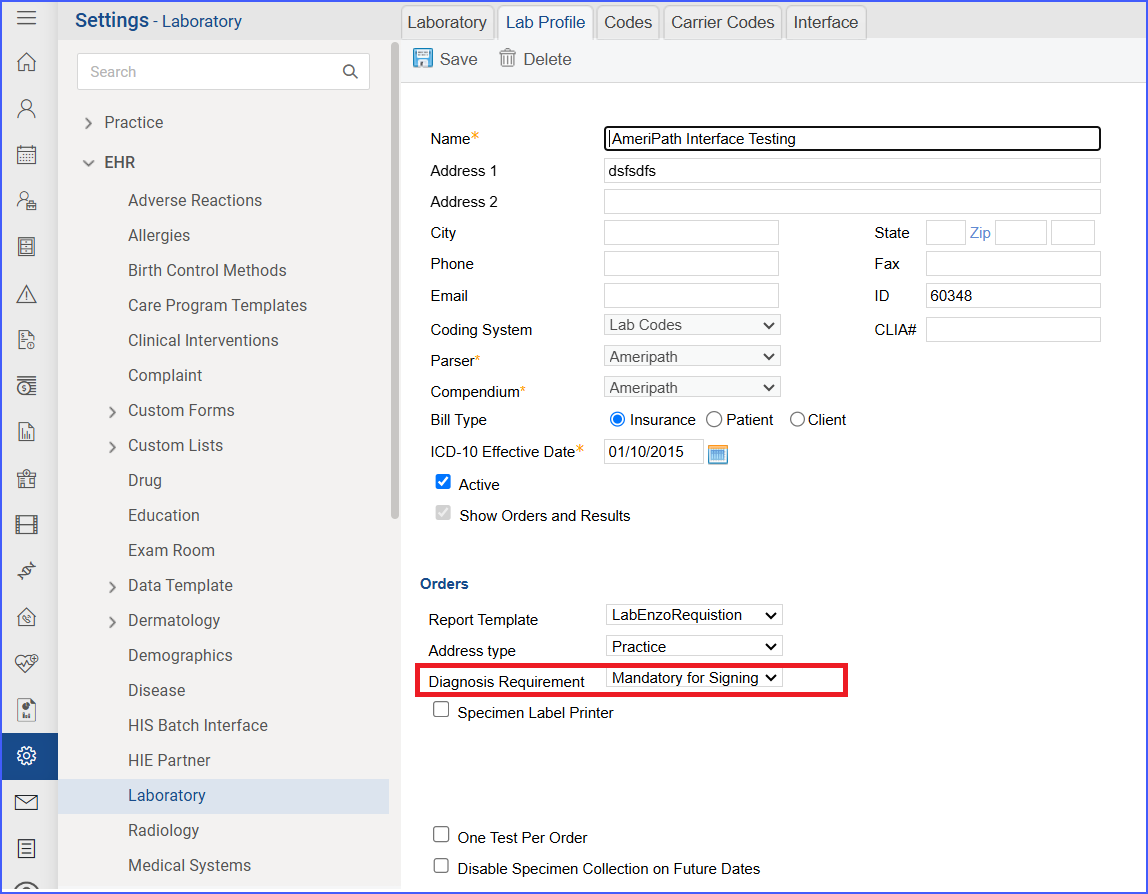
Additionally, this configuration will be applicable to all the workflows from where a draft order can be signed.
Workflows:
- Patient > Clinical > Order & Results > Lab > Add Lab Order > Sign
- Patient > Provider Notes > Add Provider Note > Orders > Lab > Add > Sign
- Patient > Provider Notes > Add Provider Note > Order Sets > Add > Sign
