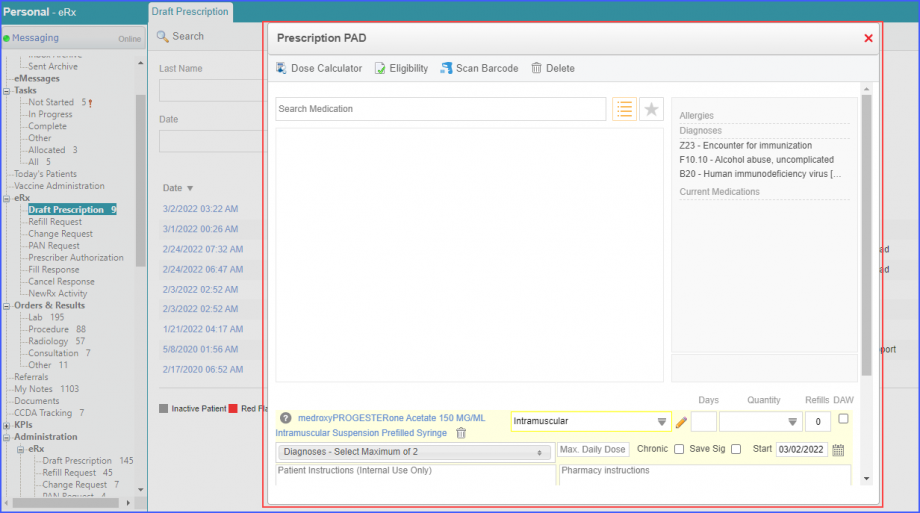
How to View Draft Prescription?
Draft prescriptions can be viewed from the Personal module.
Users can access their draft prescriptions from a single page or view.
Follow the workflow mentioned above to land on the ‘Draft Prescriptions’ page.
Here users can view the list of the following prescriptions:
- Prescriptions created by the user
- Prescriptions of all associated providers
- Prescriptions where the user is the associated provider.
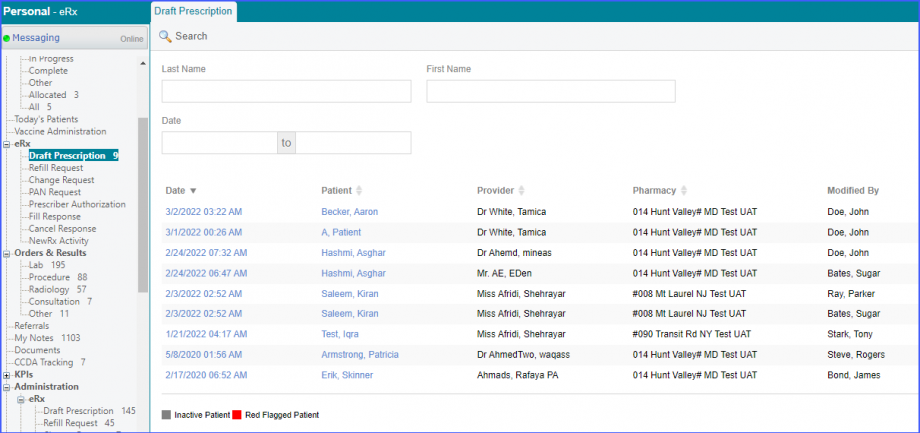
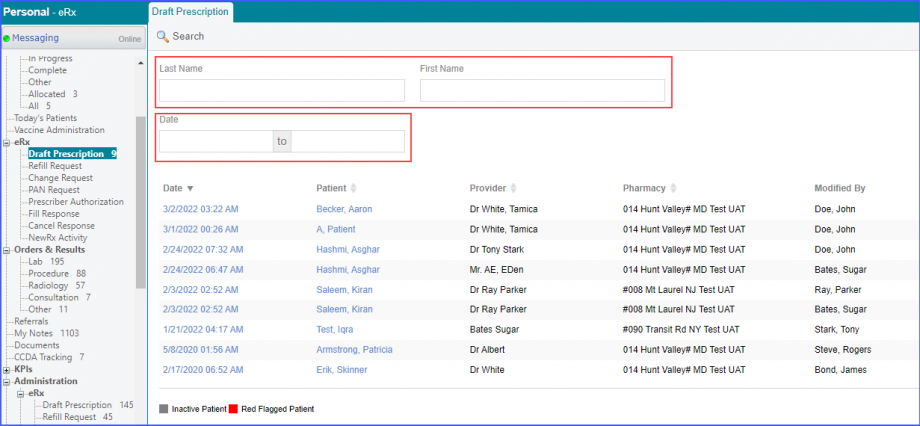
In order to search the desired draft prescription, enter the search criteria, and then click ‘Search.
The user can search prescriptions of a particular patient from ‘Last Name’ and/or ‘First Name’ filters. While the ‘Date’ filter can be used to search prescriptions created on a particular date or in a particular time period.
Click on the date hyperlink of a draft prescription and the user is navigated to the ‘Prescription PAD pop-up.