How to Assign a Provider?
This field specifies which user in the practice is responsible for verifying the Referral or PAN.
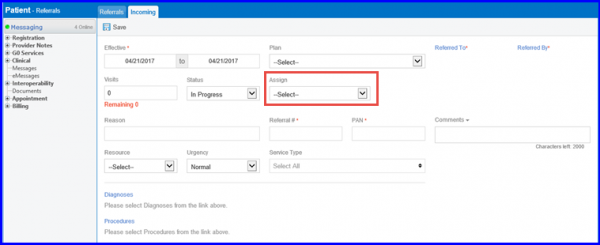
The provider assignments can be viewed by using the following workflow:
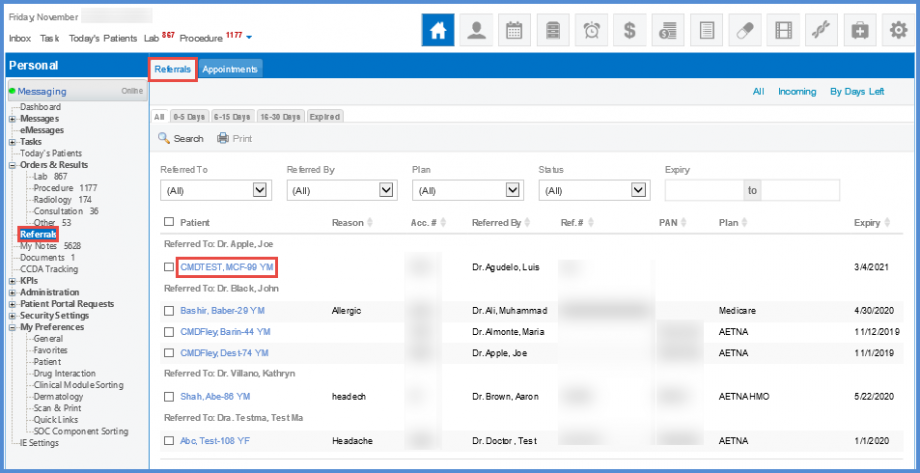
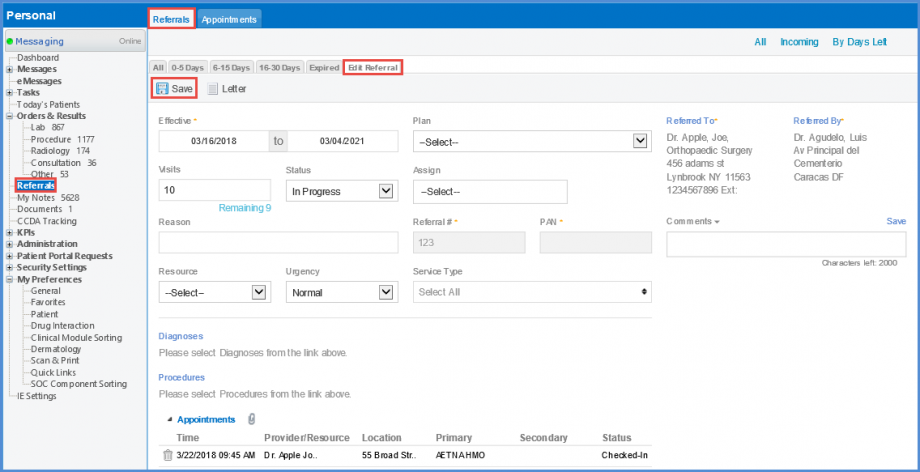
To edit a referral, click the appropriate hyperlink in the ‘Patient’ column. The ‘Edit Referral’ tab opens up. Fill in the required details and click ‘Save’ button when finished.
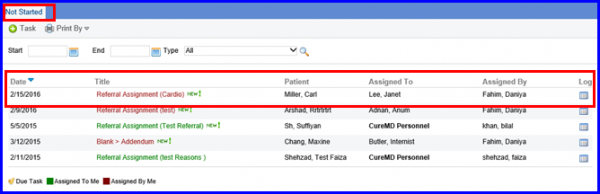
When the Referral gets assigned, it starts showing up in the Provider’s Not Started Tasks (Personal > Tasks > Not Started).
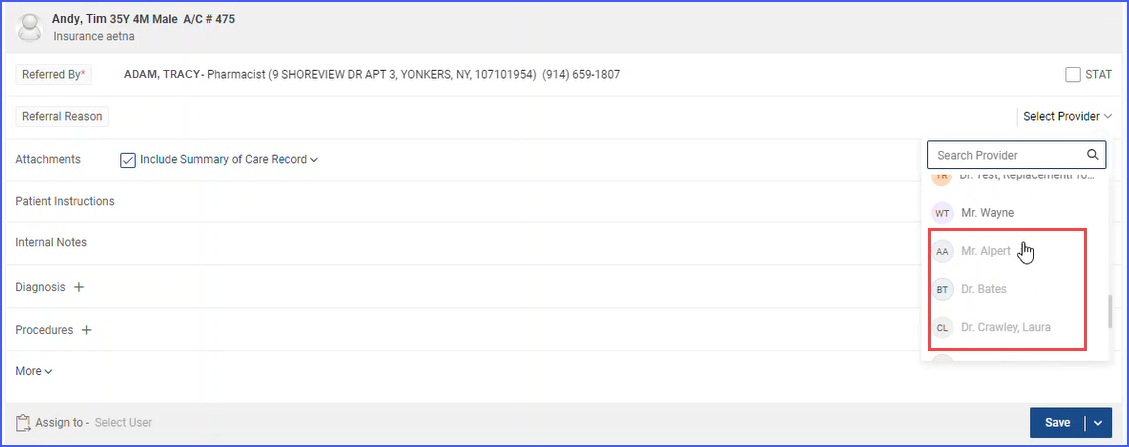
When users navigate to a referral, there are two fields available for referring provider and ordering provider, namely ‘Referred to’ and ‘Select Provider’. 
In the Referred to field, inactive providers are clearly labelled in red text as ‘Inactive’.
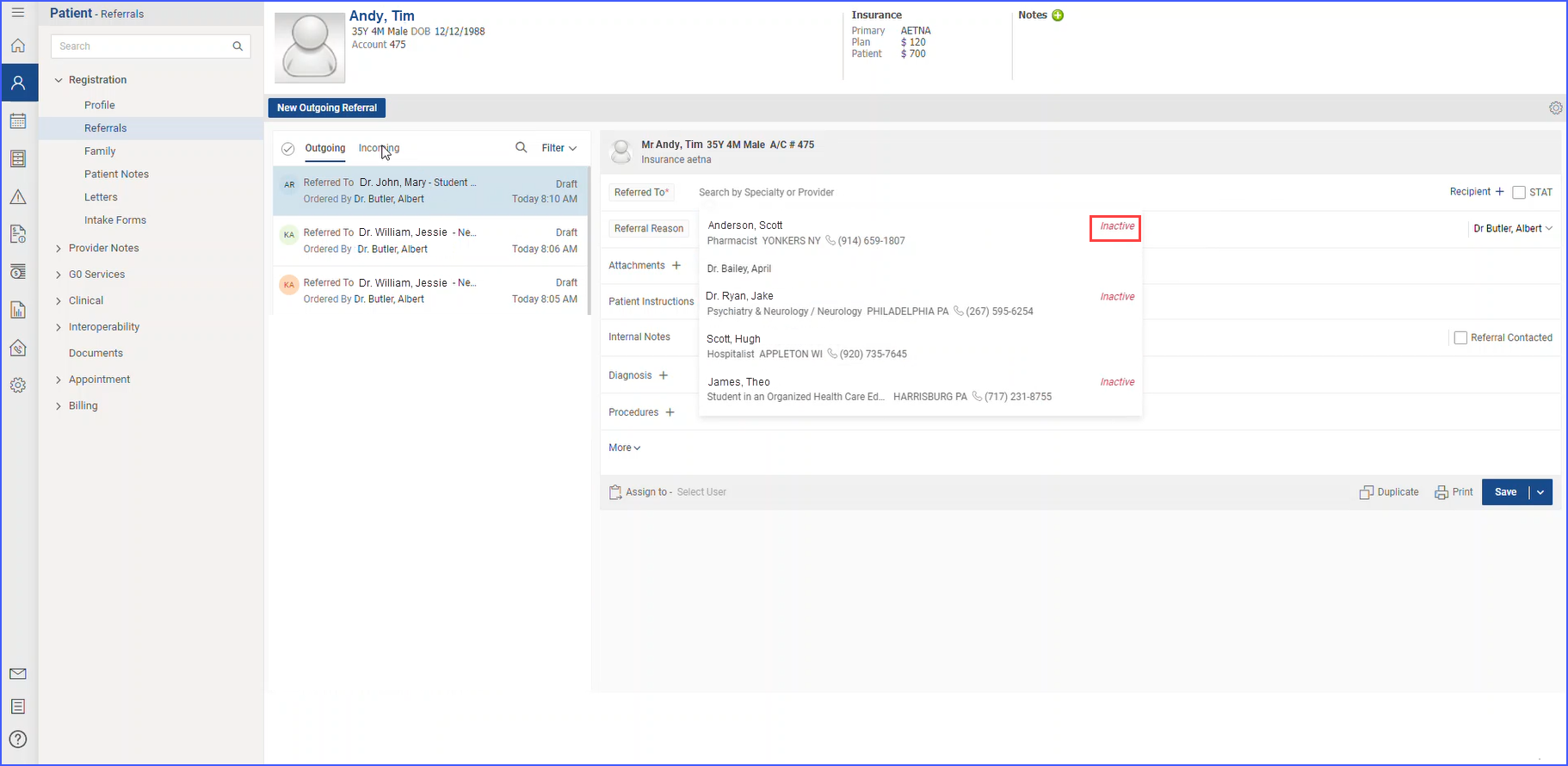
In the Select Provider drop-down, inactive providers appear at the end of the list in alphabetical order in greyed-out text.