How to Insert Body Site Information on Dermatology Procedure?
To insert Dermatology Procedure flag on provider note, user has to add a physical exam first, then associate it with an appropriate pathology procedure from Assessment & Plan Component. Once done the user can add ‘Dermatology Procedures’ component from the provider note.
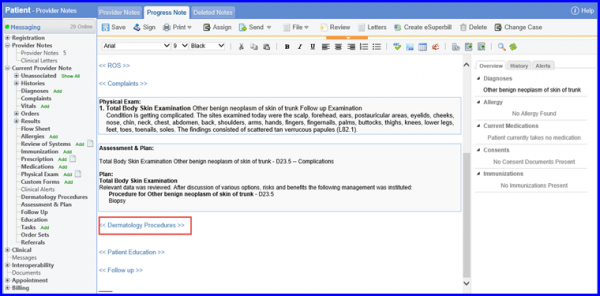
When the user clicks on Dermatology flag, procedure is added, then user has to go to the path tab and click on Requisition.
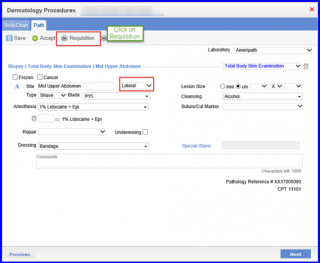
A preview of the Lab Requisition opens up with the site from where the specimen was taken.
