How to Assign a Provider Note to a User?
Follow the above mentioned workflow to land on the Provider Notes page.
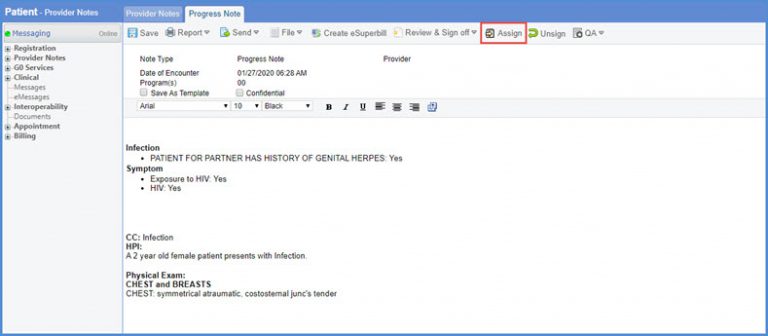
Provider Note can be assigned to any user shown in the Practice Users list.
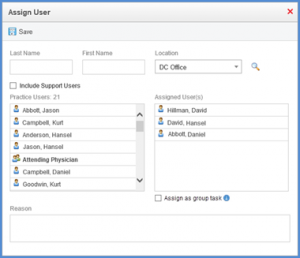
User can assign a provider note to multiple users as a group using the ‘Assign as group task’ checkbox. Users are not allowed to check this checkbox if only one user is selected. 
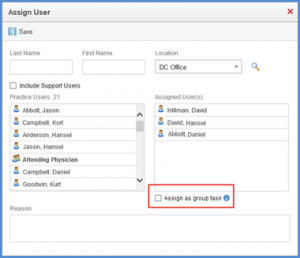
When any of the users from the group marks the Provider Note as reviewed, it is removed from the ‘Assigned to me’ list of every user present in the group.
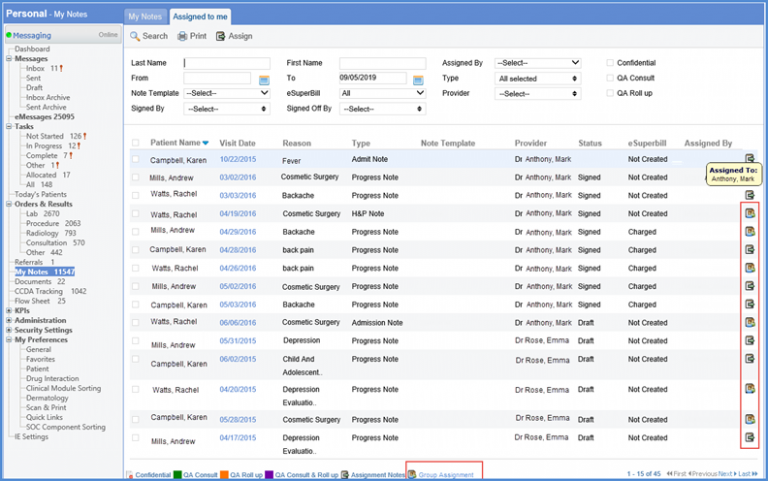
A group assigned Provider note is discriminated against the ‘Assigned to me’ list by group assignment flag.
Similar change is made in the ‘Document Manager’ module. To view more, click here.
