How to Block Patient’s Appointment?
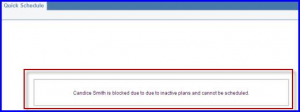
Future appointment scheduling for a patient is restricted when the ‘Block Appointment’ option is enabled. To do this, follow the workflow above to land on the patient’s ‘Preferences’ screen. Enable ‘Block Appointment’ option by checking the box and input reason in the field (mandatory).
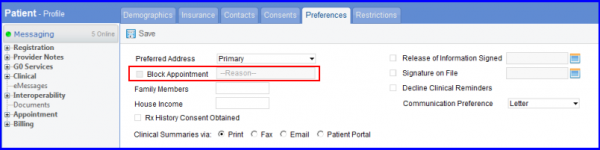
To clear a Block Appointment restriction for a patient, uncheck the box next to the Block Appointment field.
This automatically deletes the reason in the free text-box.
