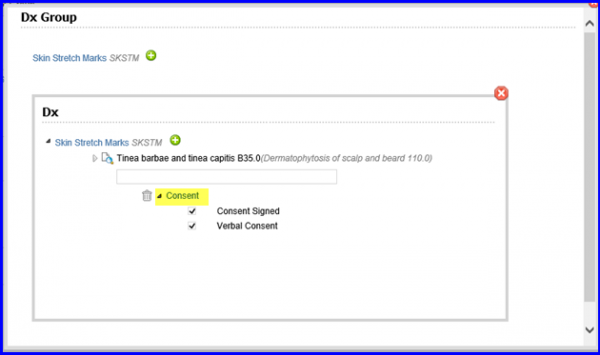
How to Add Dx Group from Dermatology Physical Exam?
To add Dx Group, navigate to the ‘templates’ tab by clicking on the ‘Add’ button,then open the Physical exam – Dermatology template.
This functionality allows the users to add diagnosis group while working on Dermatology physical exam by clicking on ‘Add Dx’ Group button at the top of the window.
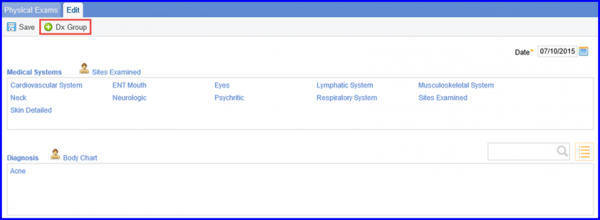
Click on ‘Add Dx Group’ button at the top of the window to open the window shown below.
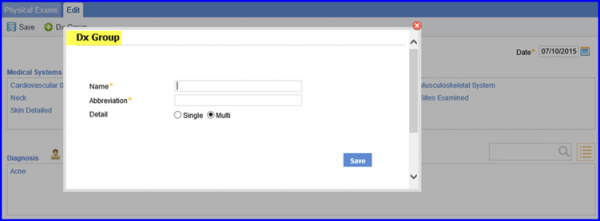
Enter the name and the abbreviation of the diagnosis group that you wish to add and click on ‘Save.’
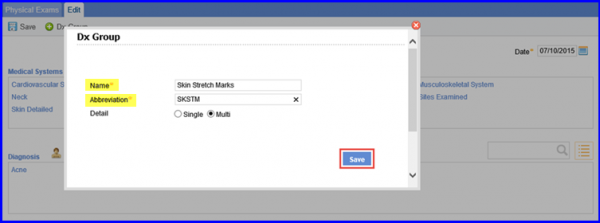
The new ‘Dx Group’ appears in a new window as a hyperlink.

To add diagnosis codes to this new Dx Group, click on the icon button to open the screen shown below.
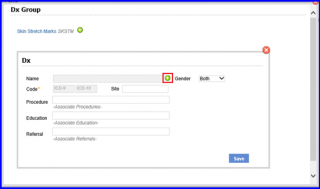
The global diagnosis search pop-up appears.
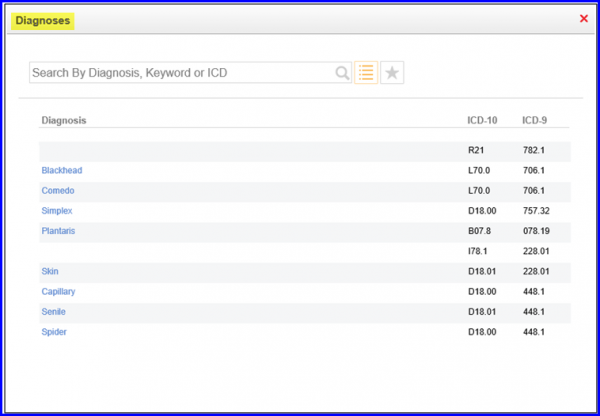
Search for the required diagnosis and click on its name. The name and code of this diagnosis are auto-populated in the respective fields.
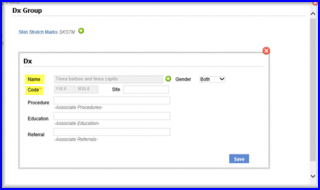
Click on ‘Save’ so that the diagnosis code is listed below the diagnosis group name.
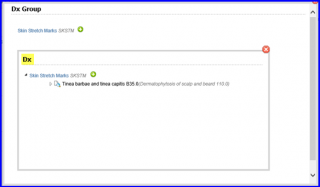
To associate a question with the diagnosis code, hover over the added code. Doing this displays a text field. Type in the required question in the field
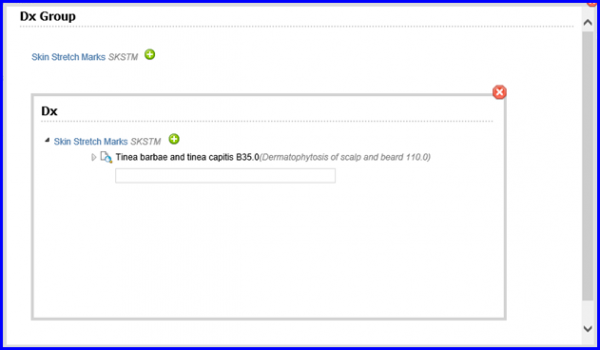
Once a question is associated, it is displayed below the diagnosis code.
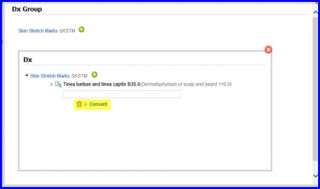
To view the content of a question, click the ( ) icon next to it.