How to Cancel Radiology Orders?
Follow the workflow mentioned above to land on the ‘Completed Results’ screen.
Cancelled radiology orders can be marked as cancelled.
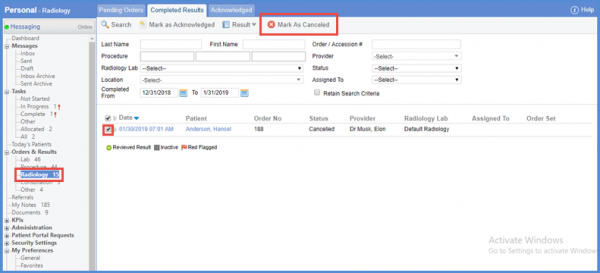
Enable the check box against the particular radiology order and click the ‘Mark as Canceled’ button.
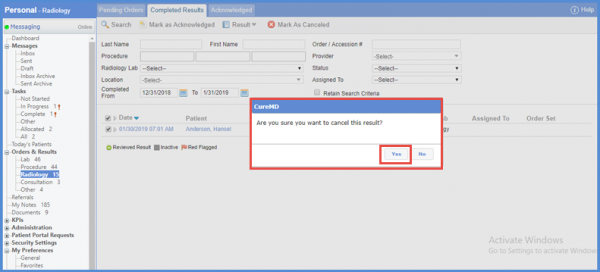
A confirmation pop-up will be displayed. Click ‘Yes’ to proceed.
Also, users can restore a canceled order by opening it in edit view.
