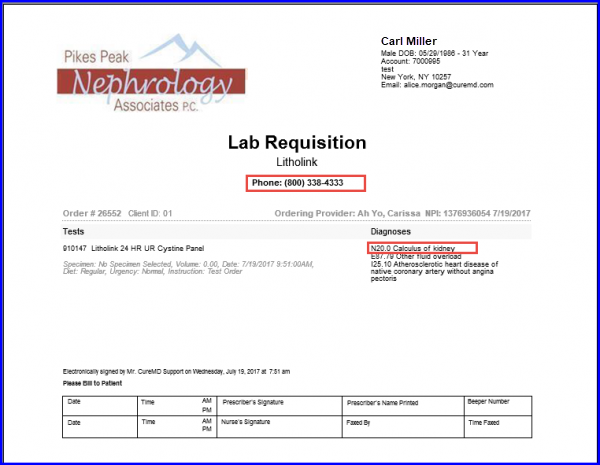
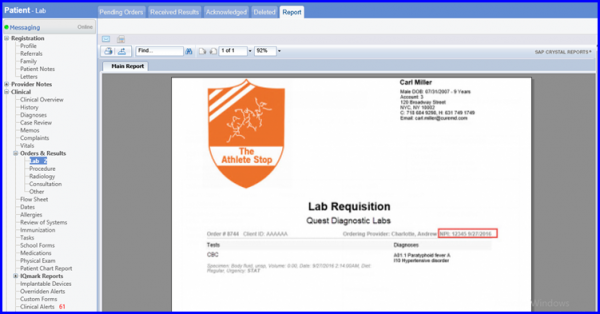
How to View NPI?
CureMD lab order reports have provider NPI printed on them with all the templates. In order to comply with state regulations, provider NPI is also printed on the lab order reports with a standard template. If user prints the lab order report with a standard template from any of the below mentioned workflows in the application, the provider NPI is printed on it.
- Personal > Orders & Results > Lab > Pending Orders > Requisition > Print
- Personal > Administration > Orders & Results > Lab > Pending Orders > Requisition > Print
- Patient > Provider Notes > Current provider Note >Orders > Lab > Print
- Patient > Clinical > Lab > Pending Orders > Print
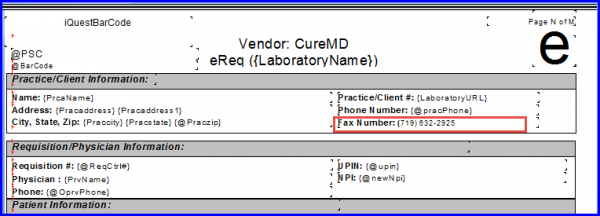
User can have the practice’s fax number printed on the order report by using the “LabElectronicRequisitionExt” order report template.
Similarly, user can have the practice’s phone number and patient diagnosis printed on the order report by using the LabOrderReportPikesPeak order report template.