How to Add Secondary Insurance?
An Insurance can be added as ‘Primary’ or changed to a secondary plan by changing the priority.
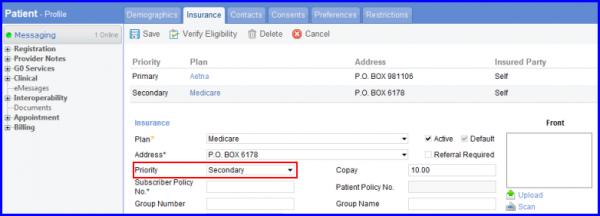
Follow the workflow above to land on the Insurance page. User can select the priority of the insurance plan from the drop-down menu titled Priority.
If the secondary insurance is Medicare, the ‘insurance code S’ dropdown appears. Users can select the insurance code of their choice from this dropdown.
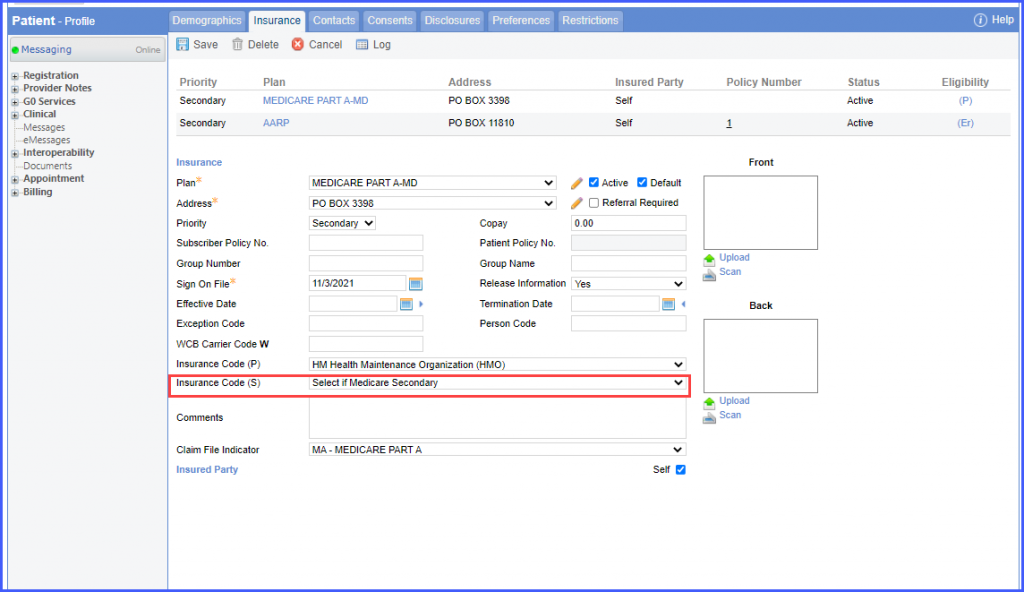
The insurance code (S) field is mandatory for Medicare Secondary Insurance entries. 
