How to Add an Unscheduled Vaccine Order for a Patient?
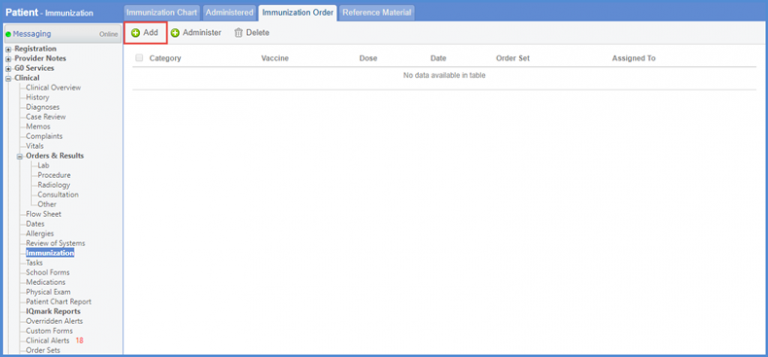
Users can add an unscheduled vaccine order for a patient. Follow the above mentioned workflow to land on the ‘Immunization Order’ tab. To add a vaccine, click ‘+Add’ button.
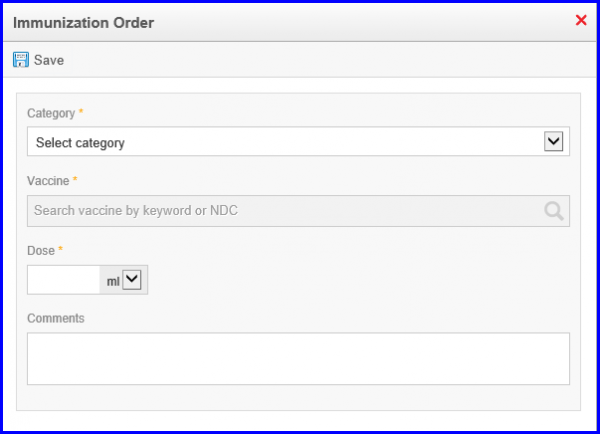
The ‘Immunization Order’ popup is displayed. Enter the ‘Category’, ‘Vaccine’, ‘Dose’ and any ‘Comments’ if required. When necessary changes are made, click ‘Save’.
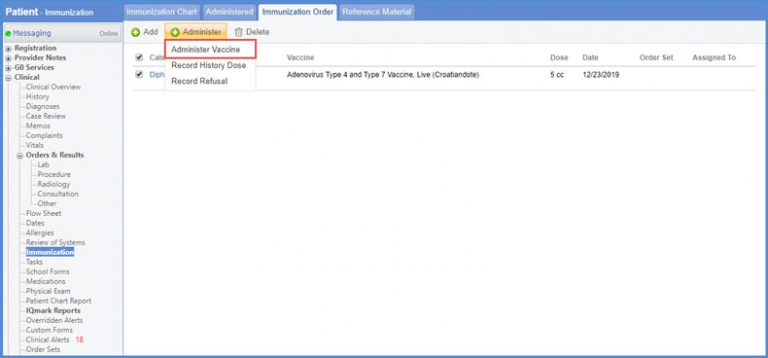
Once the order has been added, it can be administered and added to the immunization chart. Select the required order by enabling the checkbox against its ‘Category’.
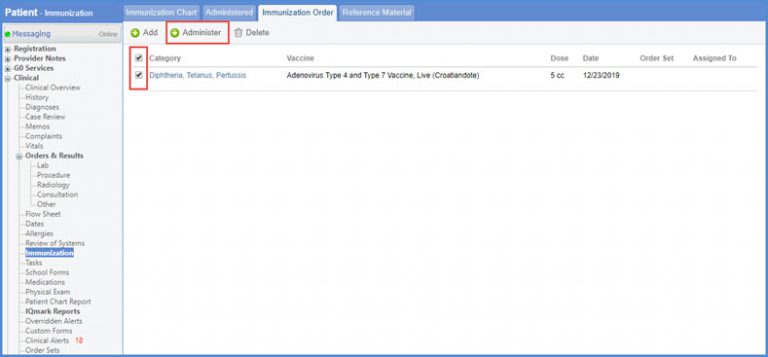
Hover over the ‘+Administer’ button and click ‘Administer Vaccine’ from the dropdown menu.
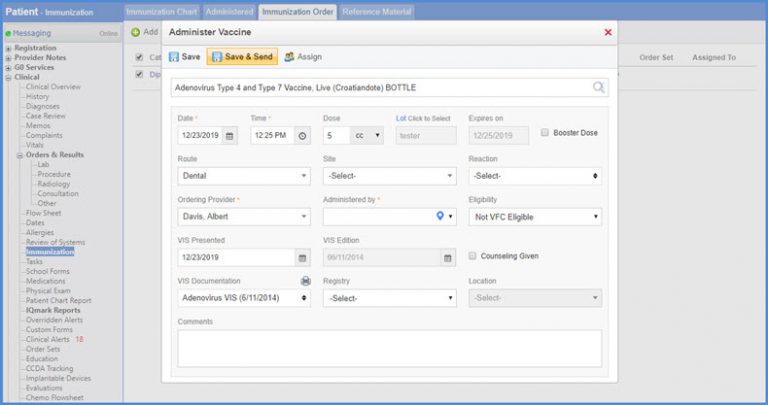
Make the necessary changes if required and click ‘Save’.
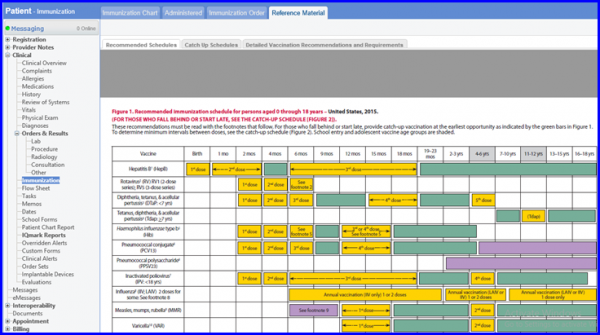
A user can click ‘Reference Material’ tab to view detailed information on ‘Catch up Schedules’, ‘Recommended Schedules’ and ‘Detailed Vaccination Recommendations and Requirements’.