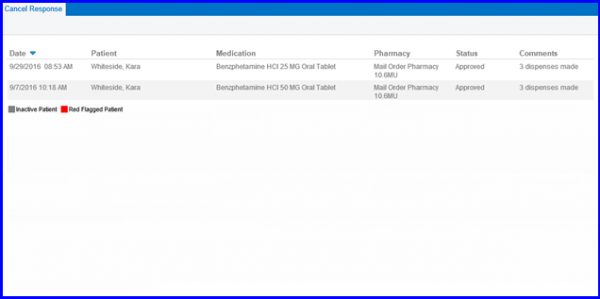
How to Electronically Cancel e-Prescriptions?
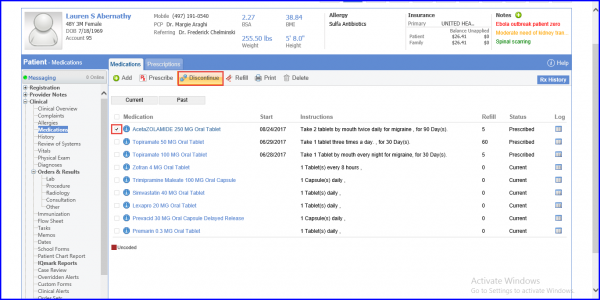
Follow the workflow above to land on the Medications screen.
Enable the checkbox against the medication which needs to be cancelled.
Click on ‘Discontinue’ button.
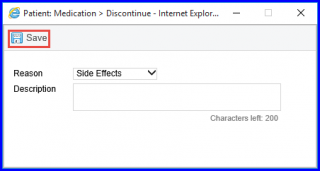
A Cancel Request is sent for e-prescriptions electronically via SureScripts. When a user discontinues a medication, the system sends cancel request to the pharmacy automatically provided the medication was prescribed electronically.
A Cancel Request is also sent when re-prescribing a medication. For example, if a user prescribed medication with the wrong pharmacy, sig, quantity etc. Once its re-prescribed, a cancel request is sent for the previous prescription and a new prescription is also sent. The pharmacy sends a response to these requests. These responses are logged in the ‘Cancel Response’ section.