How to Reschedule and Appointment on Patient Portal?
Users have the option to reschedule their appointments through the ‘Patient Portal’.
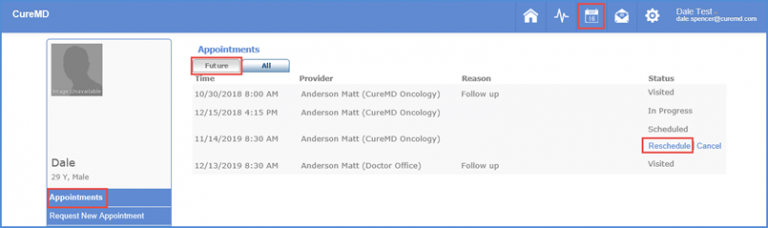
Click ‘Appointments’ module button to view appointments.
Scheduled appointments can be viewed in the ‘Future’ tab.
Click ‘Reschedule’ hyperlink next to the appropriate appointment.
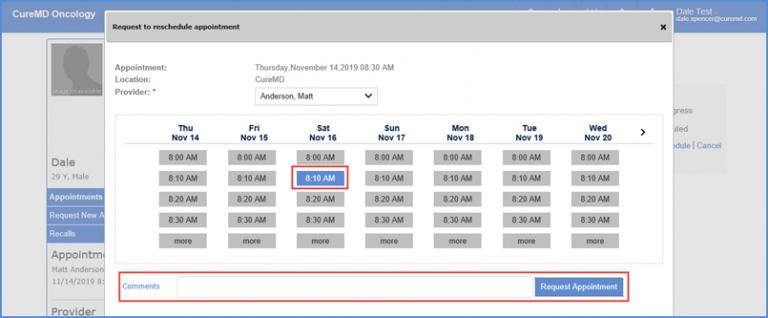
The ‘Request to Reschedule Appointment’ box pops up. Users can reschedule the appointment as required.