CMS90v13 – Functional Status Assessments for Heart Failure

Functional Status Assessments for Heart Failure CMS90v13 Percentage of patients 18 years of age and older with heart failure who completed initial and follow-up patient-reported functional status assessments.
DENOMINATOR

Patients 18 years of age and older who had two outpatient encounters during the measurement period and a diagnosis of heart failure that starts any time before and continues into the measurement period.

A qualifying outpatient encounter in this case includes:

  • Office Visit
  • Telephone Visits
  • Online Assessments

Note: The follow-up encounter should start 1 day or more after the day of end of initial visit.

NUMERATOR

Patients with patient-reported functional status assessment results (i.e., Veterans RAND 12-item health survey [VR-12]; VR-36; Kansas City Cardiomyopathy Questionnaire [KCCQ]; KCCQ-12; Minnesota Living with Heart Failure Questionnaire [MLHFQ]; Patient-Reported Outcomes Measurement Information System [PROMIS]-10 Global Health, PROMIS-29) present in the EHR within two weeks before or during the initial FSA encounter and results for the follow-up FSA at least 30 days but no more than 180 days after the initial FSA.

The functional status assessments can include any of the following:

  • VR12 Oblique Assessments
  • VR12 Orthogonal Assessments
  • VR36 Oblique Assessments
  • VR36 Orthogonal Assessments
  • PROMIS10 Assessments
  • PROMIS29 Assessments
  • MLHFQ Assessments
  • KCCQ12 Assessments
  • KCCQ Domain Assessments
  • KCCQ Total Score Assessments

 – DENOMINATOR EXCLUSIONS

  • Patients with severe cognitive impairment in any part of the measurement period.
  • Patients who are in hospice care for any part of the measurement period.
APPLICATION WORKFLOW

For Denominator:
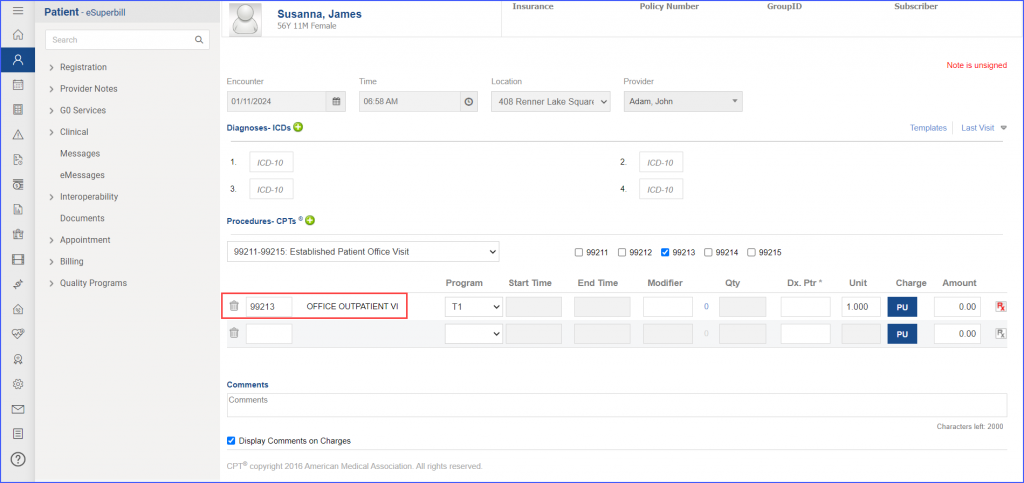
  • To record an encounter, navigate to Patient > Provider Note > Create Superbill. Under the ‘Procedure- CPTs’ heading, enter the encounter code.
90v13-1-1024x483
eSuperbill for Encounter
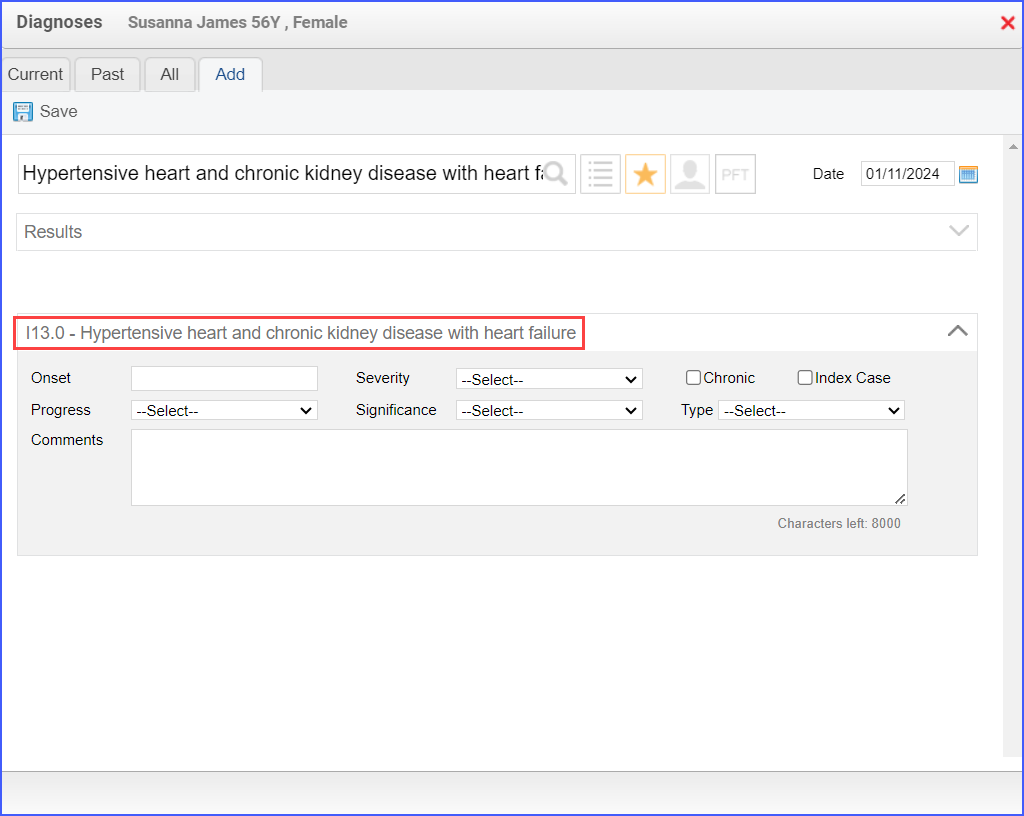
  • To document the heart failure diagnosis, use the workflow Patient > Provider Note > Diagnoses, and click ‘Add’. Search for the diagnosis, add the diagnosis details, and click ‘Save’. Then click ‘Accept’ to add the diagnosis to the provider note.
90v13-2-1024x816
Example of Heart Failure Diagnosis

For Numerator:

  • To record an encounter, navigate to Patient > Provider Note > Create Superbill.
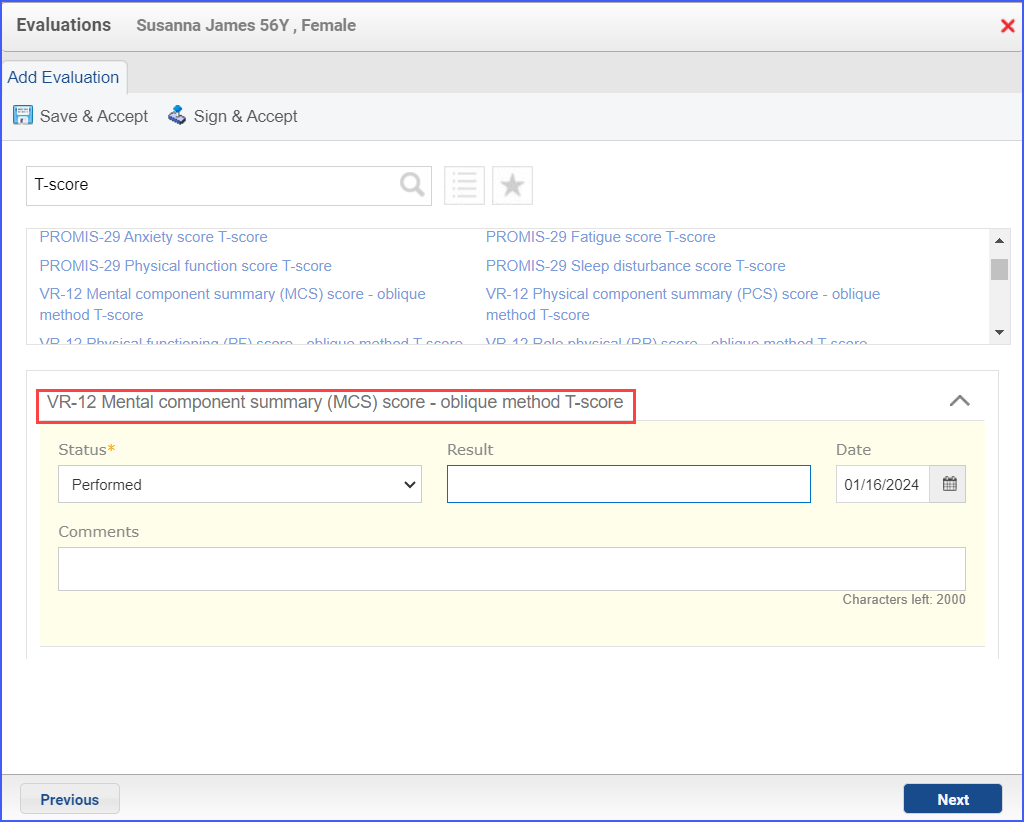
  • To document a functional score assessment, use the workflow Patient > Provider Note > Evaluations. Click ‘Add’ and search for any of the relevant evaluation. Select ‘Performed’ from the ‘Status’ dropdown and enter the result in the ‘Result’ field.
90v13-3-1024x822
Example of Functional Score Assessment

Note: The result for an assessment must not be null and all the assessments pertaining to a specific assessment category must be recorded on the same day.

For Denominator Exclusions:
  • To document the dementia diagnosis, use the workflow Patient > Provider Note > Diagnoses, and click ‘Add’. Search for the diagnosis, add the diagnosis details and click ‘Save’. Then click ‘Accept’ to add the diagnosis to the provider note.
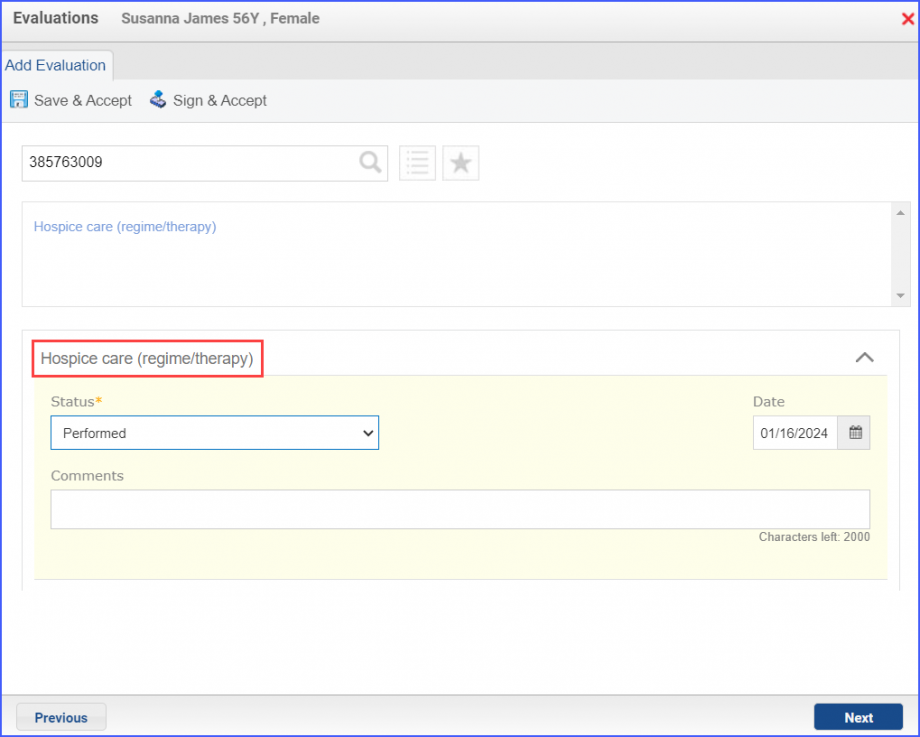
  • To document that a patient is receiving hospice care outside of a hospital or long-term care facility, navigate to Patient > Provider Note > Evaluations. Use the below mentioned codes to order or perform an intervention:
    • 385763009: Hospice Care (Regime/Therapy)
    • 385765002: Hospice Care Management (Procedure)
90v13-4-920x737
Hospice Care Evaluation
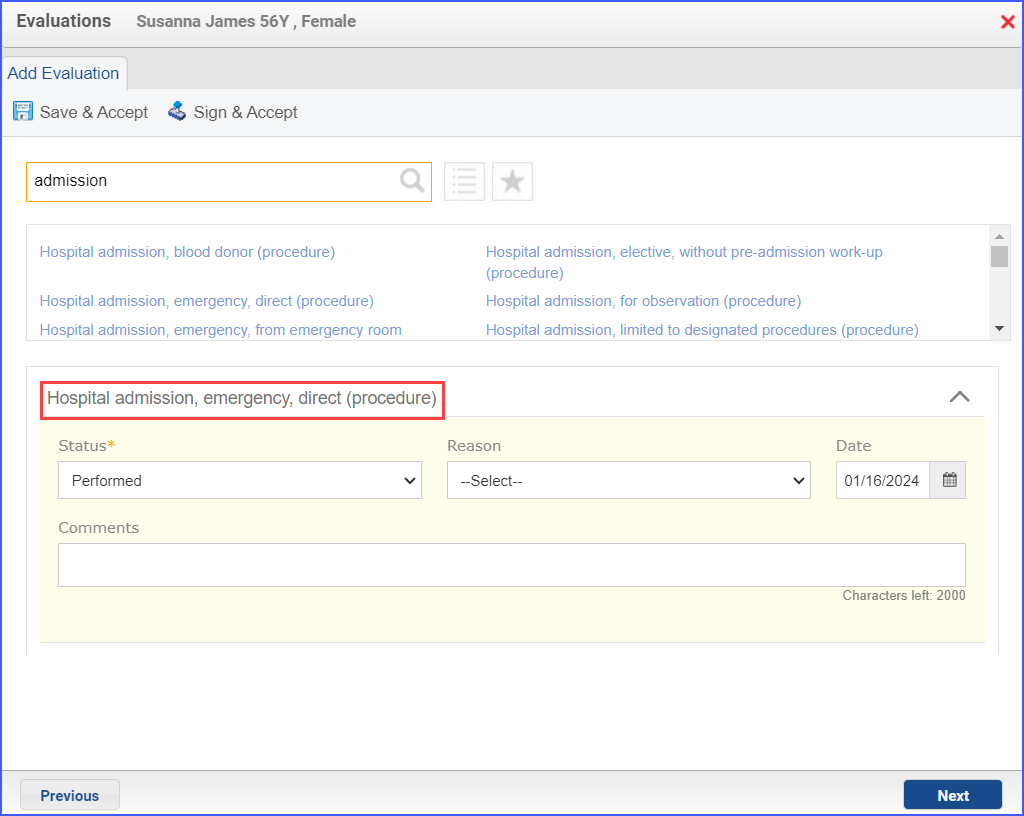
  • To document an inpatient encounter, navigate to Patient > Provider Note > Evaluations.
90v13-5-1024x816
Example of Inpatient Encounter
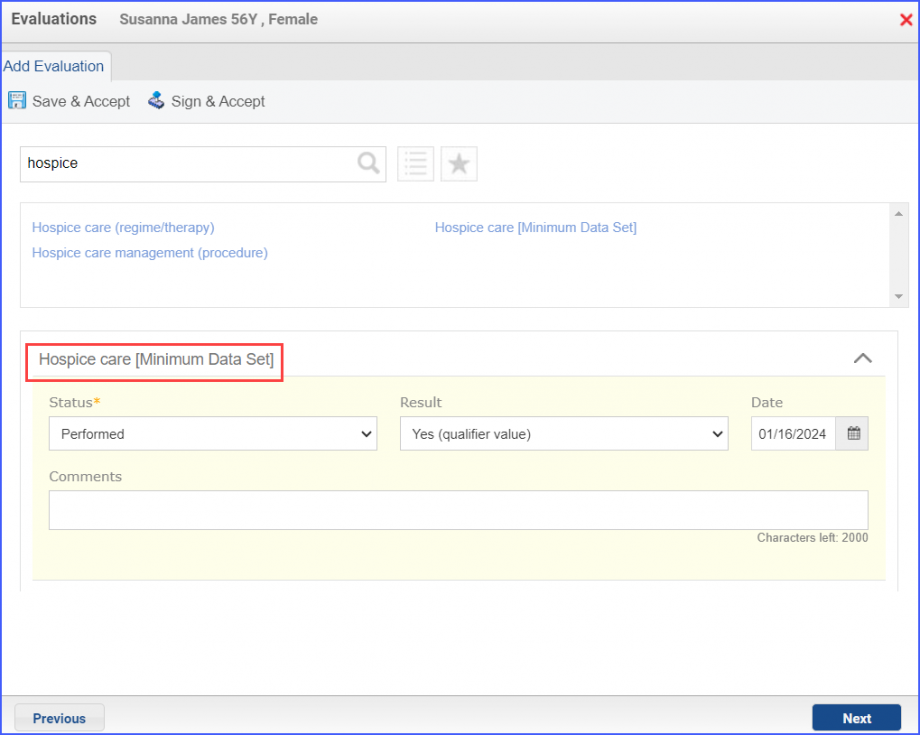
  • To document a hospice care assessment, follow the workflow Patient > Provider Note > Evaluations. Click ‘Add’ and search for ‘Hospice Care [Minimum Data Set]’. Then select ‘Performed’ from the ‘Status’ dropdown and ‘Yes’ from the ‘Result’ field.
90v13-6-920x735
Hospice Care Assessment
  • A hospice encounter can be documented through Patient > Provider Note > Evaluations or Patient > Provider Note > Create Superbill.