CMS75v11 – Children Who Have Dental Decay or Cavities
| Children Who Have Dental Decay or Cavities | CMS 75v11 | Percentage of children, 6 months – 20 years of age at the start of the measurement period, who have had tooth decay or cavities during the measurement period as determined by a dentist |
|---|---|---|
| – DENOMINATOR
Children, 6 months – 20 years of age at the start of the measurement period, with a clinical oral evaluation by a dentist during the measurement period – NUMERATOR Children who had a diagnosis of cavities or decayed teeth in any part of the measurement period –Denominator Exclusions Exclude patients who are in hospice care for any part of the measurement period |
||
| – APPLICATION WORKFLOW
For Denominator: All patients aged 6 months – 20 years at the start of the measurement period, with a qualifying encounter during the measurement year. To record an encounter, navigate to Patient > Provider Note > eSuperbill. Under the ‘Procedure- CPTs’ heading, enter the encounter code.
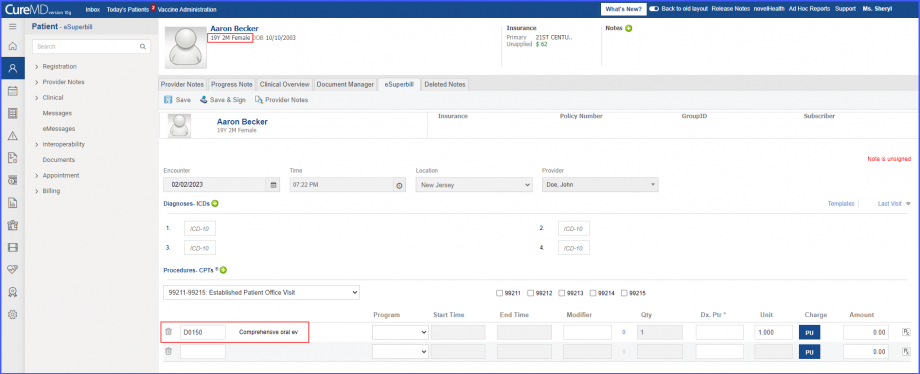 For Numerator: Include patients with ‘Dental Caries’ diagnosis during the measurement year. To record the ‘Dental Caries’ diagnosis, use the workflow Patient > Provider Note > Diagnoses, and click ‘Add’. Search for the ‘Dental Caries’ diagnosis, add the diagnosis details and click ‘Save’. Then click ‘Accept’ and the diagnosis is added to the provider note. 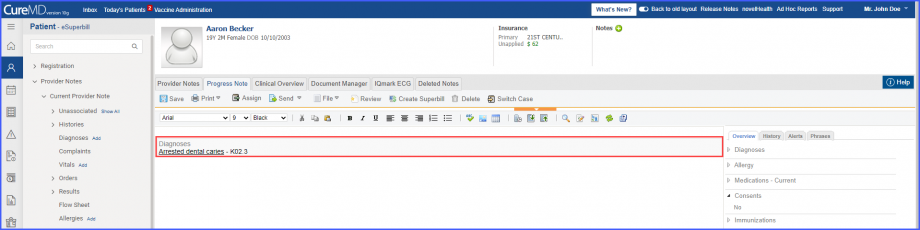 Denominator Exclusions: Exclude patients who received hospice care during the measurement year. To document that patient is receiving hospice care outside of a hospital or long term care facility, navigate to Patient > Clinical > Evaluations. Use the below mentioned codes to order or perform an intervention:
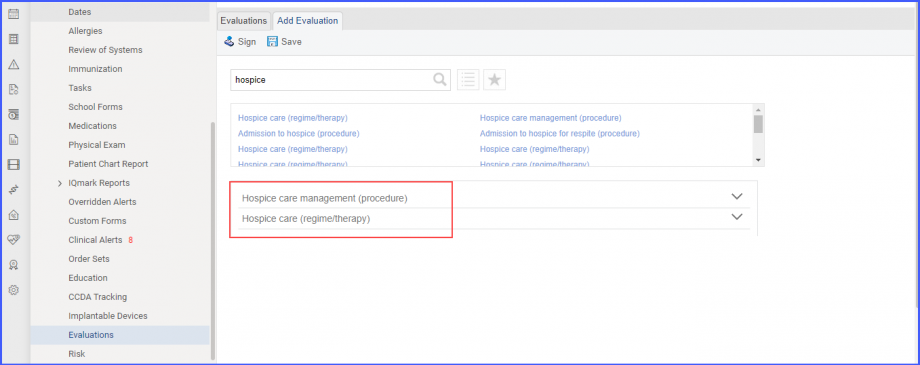
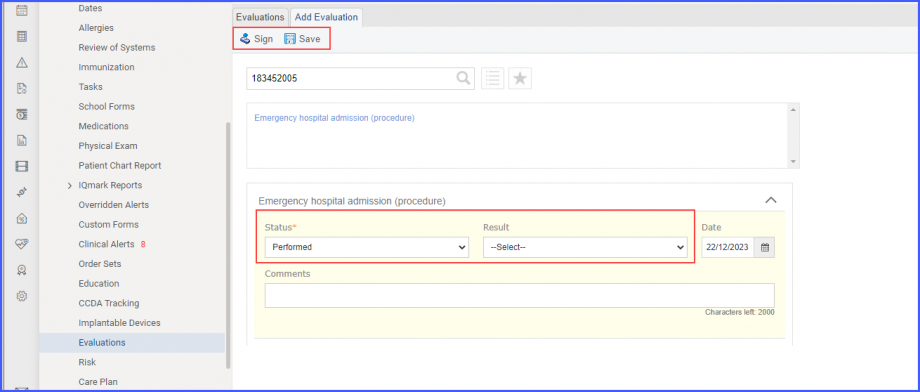
|
||
