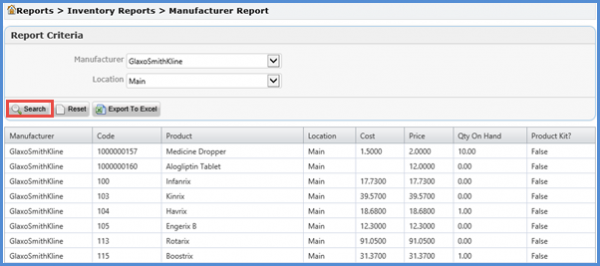
What is a Manufacturer Report?
Manufacturer Report provides information regarding the products purchased by a specific manufacturer. It aids determining the stock level according to a manufacturer.
Once the user has opened the Reports tab, they can select Manufacturer Report from the left tree menu under the Inventory Reports section. This opens the Report Criteria window for Manufacturer Report.
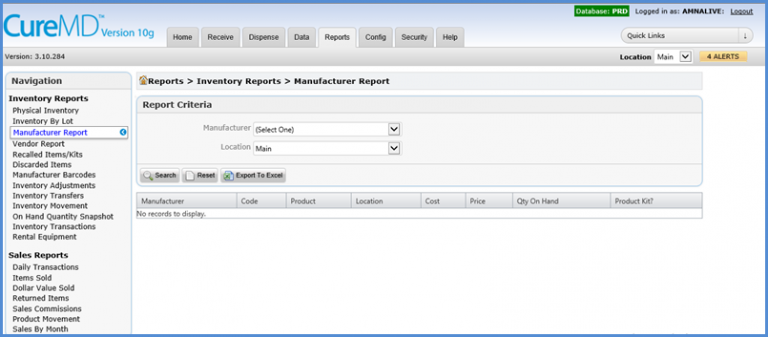
The user can then select the Manufacturer and Location from the dropdown menus and click the Search button.