How to Record Refusal?
Sometimes patients refuse vaccine shots. This information can also be saved on their immunization chart. To do this click on Record Refusal option.
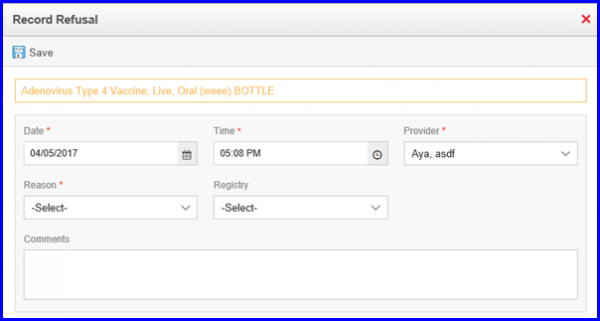
User can ‘Save’ refusal record without sending it to a registry.
click ‘Save’ to do this.
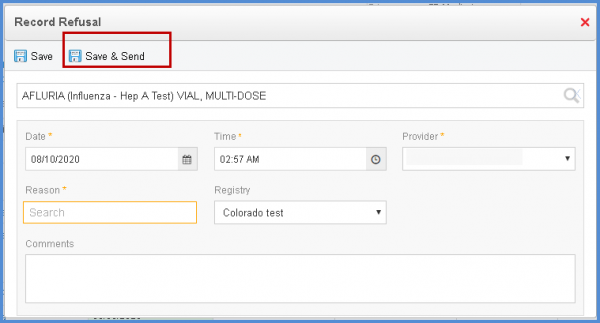
Clicking the ‘Save & Send’ button saves this information and shares it with the selected registry.
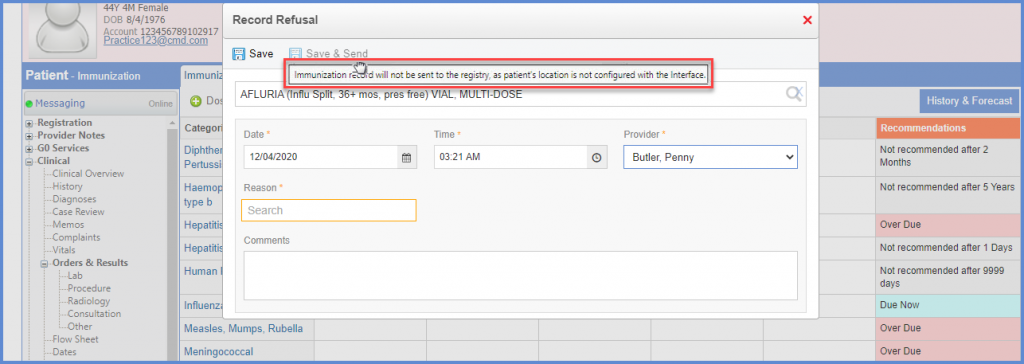
When the user navigates to record refusal and the location of the patient is not configured with the interface, the Save & Send button is disabled. 
Upon hovering over the disabled “Save & Send” button, the system displays the following text to the user in the tooltip.
“Immunization record will not be sent to the registry, as the patient’s location is not configured with the Interface.
Once the location is configured with the Interface, the Save & Send button is enabled.
