How to Create a Subfolder?

Document Manager > Select/Search Patient > Patient Chart tab

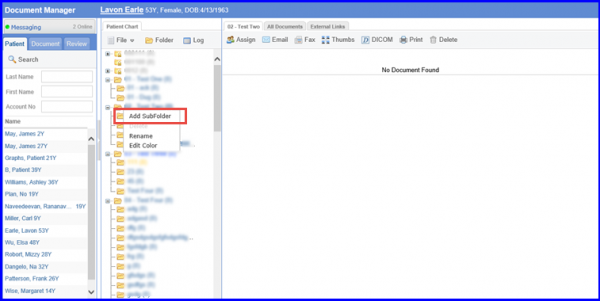
A sub-folder can be added to an existing folder in the ‘Document Manager’. Follow the workflow above to land on the ‘Patient Chart’ tab. Right click on the required folder to display the folder dropdown menu. Click ‘Add Subfolder’.
subfolder-1-600x301
Document Manager

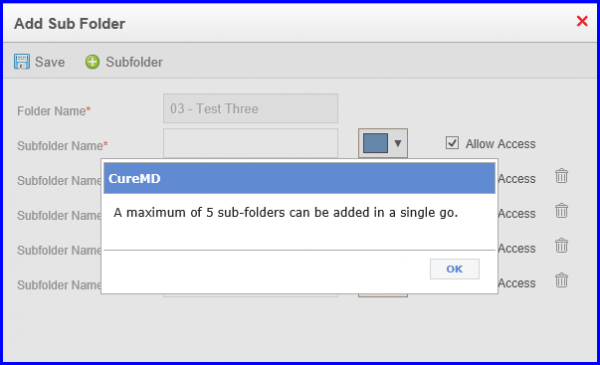
The ‘Add Sub Folder’ poo-up will be displayed. Here, the color of the folder can be selected.

More subfolders can also be added by using the +Subfolder button.

subfolder-2-600x364
Add Subfolder

Only 5 subfolders can be added at a single time.

subfolder-3-600x365
Add Subfolder