How to Create a Folder?
A folder can be added through the ‘Document Manager’ module. Follow the above mentioned workflow to land on the ‘Patient Chart’ tab.” Click the ‘Folder’ button at the top.
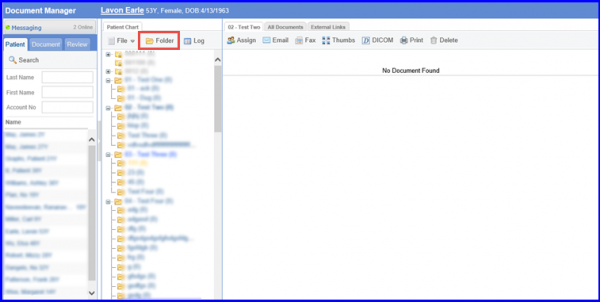
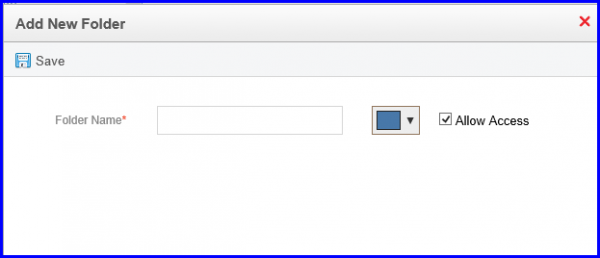
A folder can be added through the ‘Document Manager’ module. Follow the above mentioned workflow to land on the ‘Patient Chart’ tab.” Click the ‘Folder’ button at the top.

Posted On: Aug 26, 2026
Posted On: Aug 26, 2026
Posted On: Aug 26, 2026
Posted On: Aug 26, 2026
Posted On: Aug 26, 2026
Posted On: Aug 26, 2026