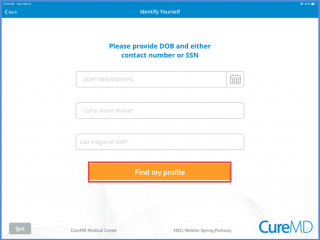
After logging in, patients can find their profile using the search criteria on the ‘Identify Yourself’ screen.
Users can search by date of birth (DOB), home phone, cell phone, or the last four digits of their Social Security Number (SSN).
After entering the DOB, users need to enter either their cell/home phone number or the last four digits of their SSN. Then, click the ‘Find My Profile’ button to view the patient profile information.