What is the Advanced Search Criteria for Financial Overview?
User can search for ‘Financial Overview’ reports by navigating to “Financial Overview” page, following the above mentioned workflow.
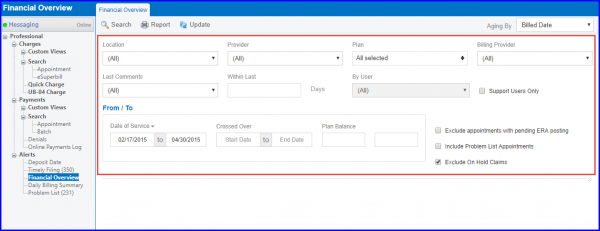
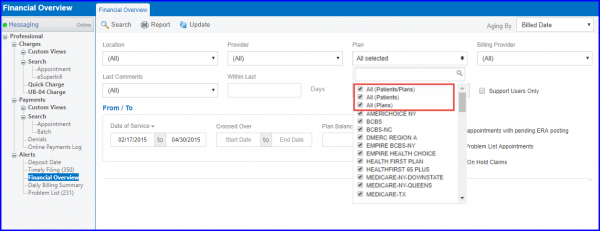
Here, search criteria fields can be seen at the top of the “Financial Overview” tab. You can search for claims by:
- Location
- Provider
- Plan
- Billing Provider
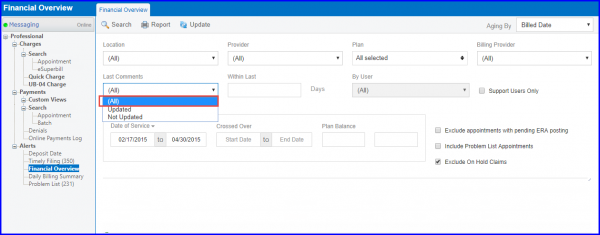
- Last Comments (Specific number of days and user)
- Date of Service
- Crossed Over
- Plan Balance
In the ‘Last Comments’ drop-down, user can select value ‘All’ to filter the Accounts Receivables with all follow-up comments.
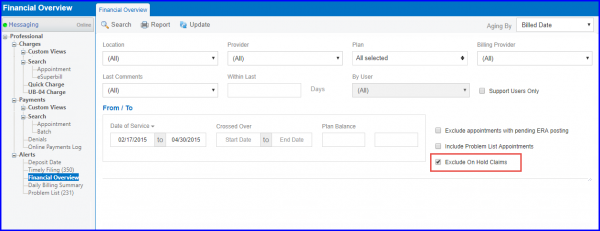
User can choose to exclude On Hold claims from Financial Overview report by marking ‘Exclude On Hold Claims’ checkbox. 
User can also select multiple plans in ‘Plan’ drop-down.
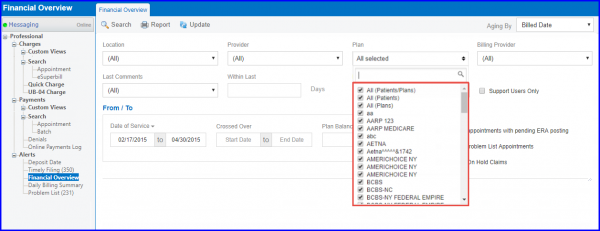
Following options have also been renamed in ‘Plan’ drop-down:
- ‘Patient/Plan’ to ‘All (Patient/Plans)’
- ‘Patient’ to ‘All (Patient)’
- ‘Any’ to ‘All (Plans)’
Similar changes have also been made for “Billing Summary”.
