How to Sort the Problem List?
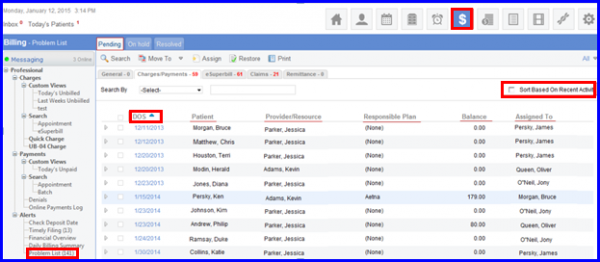
- Click on a Column Heading to sort the entries in the list.
- Once sorted, the icon will be displayed against that column.
- Clicking on the same Column Heading will sort the list in the Descending Order.

Posted On: Aug 26, 2026
Posted On: Aug 26, 2026
Posted On: Aug 26, 2026
Posted On: Aug 26, 2026
Posted On: Aug 26, 2026
Posted On: Aug 26, 2026