How to View Financial Summary?
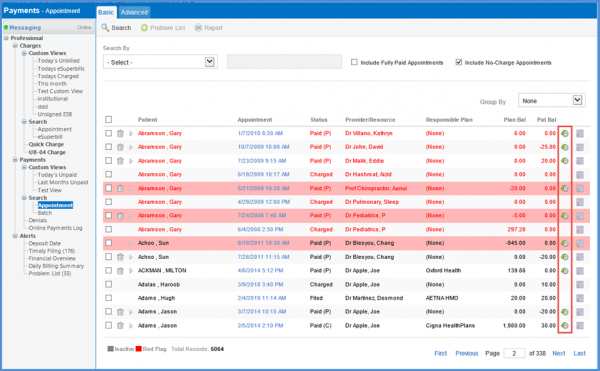
Follow the above-mentioned workflow to land on the Appointment page.
Click the ‘Payment History’ icon to view the financial summary of the patient.
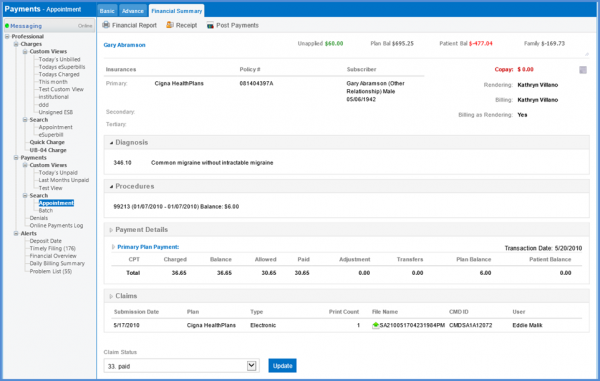
User can view the financial summary of the patient.
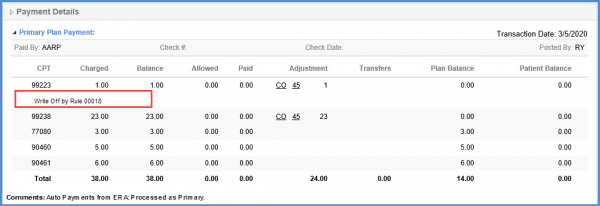
Rule ID is mentioned below the CPT code that is written off through auto write off service.