How to process a request?

Personal > Patient Portal Requests > Update Demographics

When a Patient Portal user updates the demographics, a request is sent to the provider for approval or rejection. On successfully submitting a request, this text message is shown.
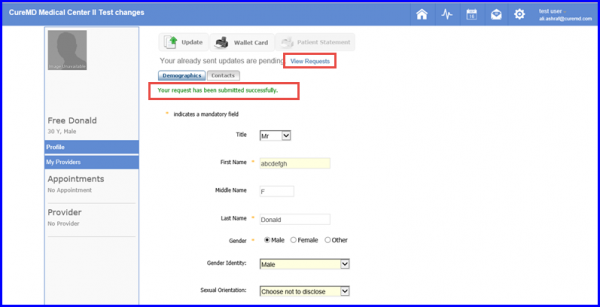
Demo123-600x307
Demographics

In order to process this request, follow the given workflow.
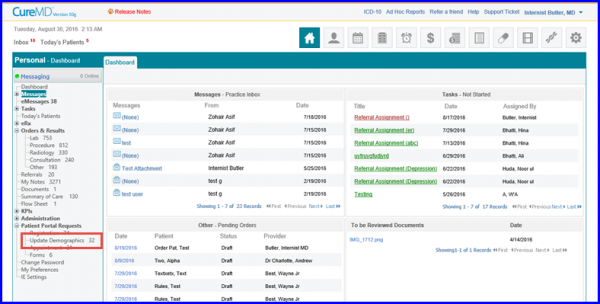
Dashboard123-600x304
Dashboard
Once the user clicks on Update Demographics, a list of all the pending requests appears. The user can enable the checkbox next to the desired patient’s name either Accept or Reject this pending request.
ARR-600x294
Accept or Reject Request
Once the user clicks on Accept, this pop up appears. The user clicks on Yes and the request moves from Pending state to the Accepted state.
Acknowledgement-320x157
Acknowledgement
AR-600x309
Accepted Requests
Same happens when the user clicks on Reject. A pop up appears, user clicks on Yes and the request moves from Pending state to the Rejected state.