How to eFax – Patient Demographics
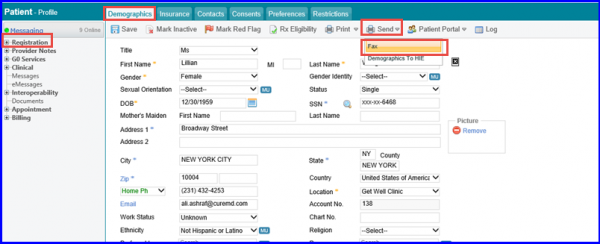
To send a patient’s demographics report over eFax, follow the workflow mentioned above to land on the ‘Demographics’ screen of the patient whose demographics are supposed to be sent. Hover on ‘Send’ to display the dropdown and click on ‘Fax’.