How to eFax – Letters
Follow the workflow mentioned above to land on the ‘Letters’ screen. Click on the ‘Date’ link of the required letter. Doing so will display the ‘Edit Letter’ tab.
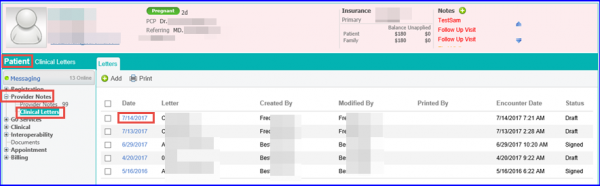
Follow the workflow mentioned above to land on the ‘Letters’ screen. Click on the ‘Date’ link of the required letter. Doing so will display the ‘Edit Letter’ tab.

Posted On: Aug 26, 2026
Posted On: Aug 26, 2026
Posted On: Aug 26, 2026
Posted On: Aug 26, 2026
Posted On: Aug 26, 2026
Posted On: Aug 26, 2026